Tuesday, December 10, 2019

The 5 Best GPS Vehicle Trackers

Best for Long-Term Tracking
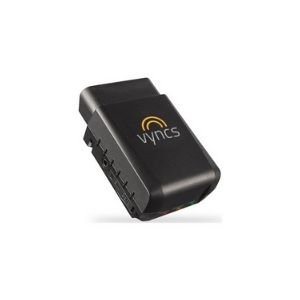
Vyncs Vehicle GPS TrackerVyncs
  • Lowest rates
  • Free roadside assistance
  • Lowest rates
  • Free roadside assistance
Best for New Drivers
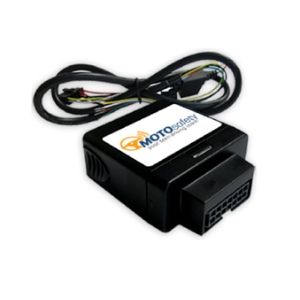
Motosafety deviceMOTOsafety
  • Driver training program
  • Daily report cards
  • Driver training program
  • Daily report cards
Best for Month-to-Month
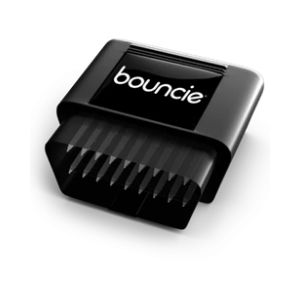
Bouncie GPS trackerBouncie
  • Low monthly fee
  • Amazon Alexa compatibility
  • Low monthly fee
  • Amazon Alexa compatibility
Calendar Icon
Last Updated: 1 month ago
In our most recent update of the Vehicle GPS Trackers review, we updated prices and details of our favorite trackers.

The Bottom Line: Vyncs GPS Tracker Won Our Top Spot

The Vyncs GPS Vehicle Tracker hits all the marks of good vehicle tracker: unsafe driving alerts, geofencing, and real-time location tracking.

Plus, free roadside assistance and a companion app that can help you track your mileage, which is great if you travel a lot for work.

Vyncs also reminds you of maintenance like wear and tear, battery charge, and recall notices. You can ask Alexa about fuel consumption before work in the morning, and Vyncs even gives you advice on getting better fuel economy.

Overall, it’s a great choice you want to keep your car (and its driver) safe and sound for about $100 per year.

How the Best GPS Vehicle Trackers Stack Up

Product
Product Image
Equipment Price*
Monthly Fee
Device Type
Driving Score
Maintenance Reminders
Learn More
Vyncs GPS Tracker
MOTOsafety GPS Tracker
Bouncie Smart Driving Companion
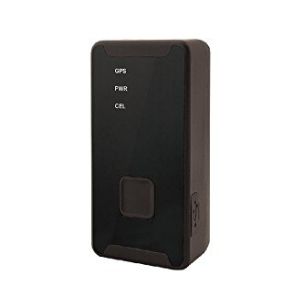
SpyTec STI GL300 GPS Tracker
Optimus 2.0 GPS Tracker
Vyncs Vehicle GPS Tracker Motosafety device Bouncie GPS tracker SpyTec STI GL300 GPS Tracker Optimus 2.0 GPS Tracker
$78.99 $19.99 $67.00 $49.95 $49.95
$0/mo. $19.99/mo. $8/mo. $24.95/mo. $19.95/mo.
OBD port plug-in OBD port plug-in OBD port plug-in Freestanding, battery-operated Freestanding, battery-operated
Yes Yes Yes No Yes
Yes Yes Yes No Yes
View on Amazon View on Amazon View on Bouncie View on Amazon View on Amazon

*Amazon.com prices as of 12/10/19 12:26 pm MST.
+On-Board Diagnostic: The OBD (on-board diagnostic) port connects to your car’s computer. It’s located under your dashboard.

Best Vehicle GPS Trackers Reviews

Vyncs GPS Tracker: Best for Long-Term Tracking

Best Overall
Vyncs Vehicle GPS Tracker

The Vyncs GPS tracks location, unsafe driving practices, engine diagnostics, battery life, maintenance needs, recall notices, and fuel levels.

It evaluates your driving to give you a Tip Performance Index (TPI) score that can help you save money on car insurance. Its free companion app, VyncsMiles, is compatible with Amazon Alexa and can track mileage and categorize it by personal and business use.

Vyncs uses one-year plans instead of month-to-month deals. This kind pricing can save you cash if you’re committed to tracking your vehicle’s location for awhile.

You can also check out Vync’s Basic, Premium, and Pro plans that sweeten the deal with services like roadside assistance. Vyncs also has a Fleet service for commercial customers who  might want to monitor their employees during deliveries or routes.

The OBD plug-in GPS device costs around $75 and comes with a one-year basic plan subscription (and a one-time activation fee of $30). Yearly renewal costs are about the same, which works out to around $6 a month, making it the least expensive GPS on our list.

We don’t like that the default refresh time is three minutes—the fastest refresh time (15 seconds) is available only for an added fee. The user interface is also a little tricky to manage.

Pros

  • Engine alerts
  • Low yearly fee
  • Driver scoring system
  • Mileage tracker app
  • Roadside assistance

Cons

  • Long-term commitment
  • Delayed location updates
  • Activation fee

MOTOsafety GPS Tracker: Best for New Drivers

Best for New Drivers
Motosafety device

With a driving education course for teens, Google Maps route replay, geofencing, and customizable location alerts, the easy-to-install MOTOsafety GPS Tracker earned our top spot for new teen drivers.

This tracking device costs around only $20 with a monthly fee of $19.99. You won’t have to sign a contract or pay a cancellation fee, but you will have to call the company if you want to cancel.

We like the included driver training program, with access to educational content and practice quizzes to help your teen prep for their driving test.

We also like the daily driving report card on the mobile app, but metrics can be confusing. Speed limits aren’t always accurate on Google Maps, so MOTOsafety might say you’re speeding even when you’re not.

Likewise, normal rapid acceleration—like when you’re merging onto a busy highway—can also count against you. We recommend taking it out for a test drive and checking the sensitivity before taking away your teen’s car keys for a bad grade on their MOTOsafety driving report.

Check out our full review on MOTOsafety to learn more about this vehicle GPS tracker.

Pros

  • Google Maps route replay
  • Geofencing
  • Curfew
  • Teen driving course

Cons

  • Sensitivity to acceleration
  • Inaccurate speed limits

Bouncie: Best Month-to-Month

Best Month-to-Month
Bouncie GPS tracker

Bouncie is to the GPS tracking game, but it has all the best parts of other popular trackers. So we expect to see it rising to the top.

Bouncie plugs into your car’s OBD port and offers standard geofencing and real-time alerts for speed, hard braking, and acceleration. It also helps you keep tabs on gas levels, vehicle maintenance, and routine car-related tasks, like annual emissions inspections.

We like that you can use your Amazon Echo to check the gas in your car or ask when your registration is due.

The device also tracks your mileage and stores the data, which is a great feature if you need to track mileage for business purposes.

Bouncie charges only $8 a month for its tracking services, so it’s a close second to Vyncs when it comes to pricing, but without the long-term commitment. If you want to track three vehicles, you’ll get a special discounted rate of $20 per month for all three.

The only downsides to this device were the green flashing light that never seems to go off (black electrical tape to the rescue) and some occasional glitches with the Alexa commands.

Pros

  • Vehicle maintenance alerts
  • Geofencing
  • Mileage tracking
  • Low monthly subscription fee
  • Real-time vehicle operation alerts

Cons

  • Flashing light
  • Alexa command glitches
Best Portable Tracker
spytech device

SpyTec STI GL300 GPS Tracker

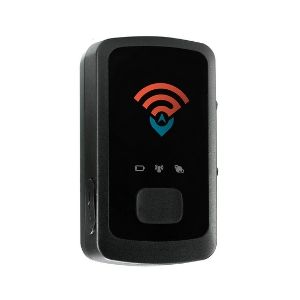
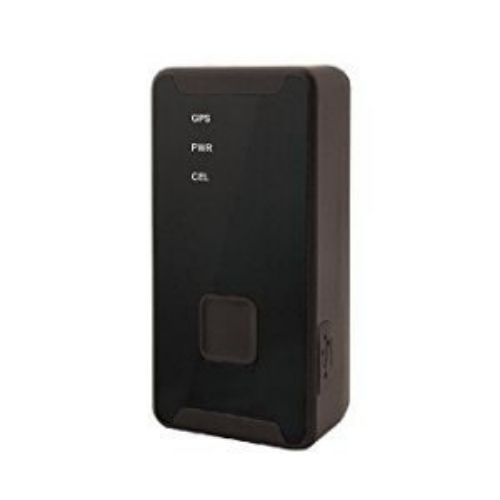
The two-inch SpyTec STI GL300 GPS Tracker is small enough to be tucked into a pocket or attached to the undercarriage of your vehicle. This tracking device is battery-powered, so you’ll need to charge it periodically. The manufacturer claims a two-week battery life, but it’s more like eight to ten days.

Monitoring will cost you around $25 a month, and you’ll get location updates only every 60 seconds unless you pay more for faster tracking. There are no contracts or cancellation fees, and we like that SpyTec offers a 30-day, no-hassle cancellation policy.
Honorable Mention
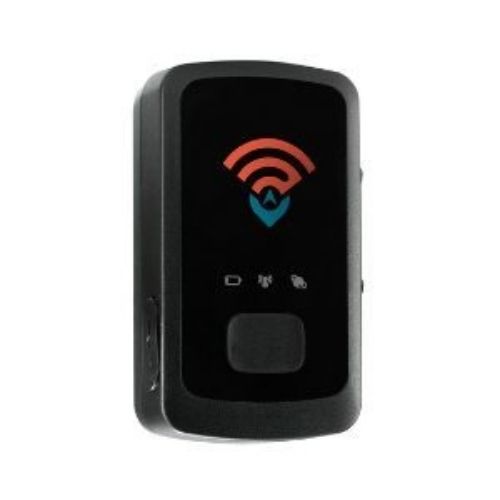
optimus

Optimus 2.0 GPS Tracker

The Optimus 2.0 GPS Tracker is a close cousin to the SpyTec. Both are small, battery-operated vehicle tracking devices, but the Optimus is slightly bigger. The Optimus has better battery life, and the monthly fees are $20 a month.

Unlike SpyTec’s website-only tracking, the Optimus uses both a website and an app.

We found the location tracking to be more of a connect-the-dots experience rather than the fluid turn-by-turn that you see from other apps, but it depends on the type of monthly plan you buy. Upgrading to updates every five seconds could smooth it out.

A New Brand to Watch

Brand to Watch
Autobrain GPS tracker product image

Autobrain

Autobrain is fairly new to the scene, making it a top brand to watch. It shows your vehicle’s real-time location on its mobile app thanks to powerful tracking software. But it’s much more than a real-time GPS tracking device.

Autobrain provides trip reports and maintenance alerts to keep your car healthy and safe to drive. We also like its emergency response abilities. The mobile app’s crash response feature kicks in and calls emergency contacts and responders when it senses a collision.

Things to Consider before You Buy a GPS Tracker

Whatever your reasons for wanting to purchase a car GPS tracking device, it’s important to make sure you’re staying within your legal rights. In most places, as long you’re putting the device only on vehicles you own, you’re safe. If you want to track a loved one out of genuine concern for their safety and well-being, the best approach is to talk to them about it first.

To make your vehicle even safer, consider other devices like dash cams and rearview (backup) cameras. These devices can improve your viewing angle and keep a valuable record of your time on the road.

GPS Vehicle Tracker FAQs

Can real-time GPS trackers pinpoint your exact location?

Sometimes. GPS tracking devices triangulate their location by sending and receiving satellite signals. Just like your cell phone, your GPS tracker might also experience some interference that can knock the location accuracy off.

My car GPS tracker says it’s moving when it’s not. Why is this happening?

When you’re in an area with a lot of buildings, your GPS tracker’s signal can bounce off different surfaces and cause false alerts. It can be annoying and worrisome to get an alert in the middle of the night telling you your car has moved from the garage, but it’s not uncommon for this to happen with GPS trackers.

If the alert shows that the car has just moved a short distance, like down the street, it’s usually a false alarm.

Will my GPS tracker still work in rural areas?

If you live in an area where cell service is spotty, then you’ll likely experience some spotty GPS coverage as well.

This doesn’t mean the GPS isn’t working, it just means it’s unable to get the location information to your phone because there aren’t enough cellular towers around to send the signal.

Will my GPS tracker work outside the United States?

It depends on the device you buy. Most of the devices we studied were for US use only, but a few worked outside the US in Canada and Mexico.

If you’re not sure if your device will work outside the country, contact the manufacturer.

How We Chose the Best GPS Vehicle Trackers

Our search for the best GPS vehicle trackers started with investigating top-rated location trackers to see which consistently performed best. We then did our own deep-dig research to see what users were saying about each device so we could choose the best of the best. Check out our full methodology to learn more about how we rank and review products.

*Amazon.com list price as of 12/10/19 12:26 MST. Product prices and availability are accurate as of this date/time indicated and are subject to change. Any prices and availability information displayed on Amazon at the time of purchase will apply to the purchase of this product. Safewise.com utilizes paid Amazon links.

Certain content that appears on this site comes from Amazon. This content is provided “as is” and is subject to change or removal at any time.

The post The 5 Best GPS Vehicle Trackers appeared first on SafeWise.


from Blog – SafeWise https://ift.tt/2oWnGvD
via IFTTT

Wednesday, December 4, 2019

Cove Home Security Review: No Contracts, Easy Setup, and Affordable

Calendar Icon
Last Updated: A day ago
Cove Cyber Week Offer: For a limited time, Cove is offering 50% off plus a free indoor camera.

How Cove Home Security Stacks Up

Cove logo
3.5/5
  • 60-day money-back guarantee
  • Easy installation
  • Lackluster mobile app

Cove is an economical, customizable home security system that delivers the basics and makes protecting your home super easy.

But the new kid on the block is still proving itself, and Cove has some work to do when it comes to its mobile app and smart home compatibility.

Because Cove has been on the market for only a few years, we reached out to see if we could sit down with the company and learn the ins and outs of this latest addition to the DIY home security scene.

Our full review gives you a thorough introduction to one of home security’s newest additions.

Pros

  • 60-day money-back guarantee
  • Lifetime warranty available
  • Instant text messaging alerts
  • Two-way audio with monitoring center
  • Great customer reviews
  • Super-easy installation

Cons

  • New to market
  • Limited smart home compatibility
  • Unimpressive app

Compare Pricing

Monitoring Plan
Monthly Fee
Mobile Access
Warranty
Cove Basic Cove Plus
$14.99 $24.99
No Yes
1 yr. Lifetime
View Package View Package

All Cove home security packages come with these features:

  • 60-day money-back guarantee
  • DIY installation
  • No-contract options

Cove vs. the Competition

Brand
Lowest Monthly Monitoring Price
Contract Options
Installation
Smart Home Compatibility
Learn More
Cove logo logo of simplisafe home security logo of frontpoint home security logo of scout alarm
Cove SimpliSafe Frontpoint Scout
$14.99 $14.99 $34.99 $19.99
Month-to-month Month-to-month Required Month-to-month
DIY DIY DIY DIY
Limited Moderate Good Good
View Packages View Packages View Packages View Packages

Cove is one of the most affordable home security choices you’ll find. One of the company’s core values is to be economical, and on that point Cove delivers. There aren’t any contract requirements, and monthly monitoring is pretty cheap, even if you opt for the higher-priced Cove Plus Plan.

At $24.99 per month, that’s about the same as a weekly splurge at Starbucks—and for a lifetime warranty plus mobile access to your security system, we think it’s worth it.

You can control your equipment costs with Cove, too. Most equipment is available à la carte, and you can get a basic setup for around $275, which includes the control panel, yard and window signs, a few window and door sensors, a motion sensor, and a (free) indoor camera.

If you aren’t sure what you need to protect your abode sufficiently, Cove’s website has a simple quiz that will help you figure out where to start.

Cove gives you the option to pay for equipment up-front or over time. If you opt for $0 up-front, you’ll pay an extra $10 per month if you keep Cove monitoring for 36 months. If you cancel early, you’ll have to pay for the equipment cost—but you’re not on the hook for the remaining months of monitoring fees like you are with other home security companies.

Cove Contracts and Warranties

We like that Cove offers a lifetime warranty for its equipment, but you can only get it with the higher-priced monitoring plan. Cove isn’t the only home security company to wrap up a better warranty in a more costly plan. ADT does the same thing with its Quality Service Plan that is only available with higher-end offerings.

Brand
Minimum Monthly Monitoring Fee
Warranty
Service Call Fees
Contract Requirements
Cove ADT
$24.99 $52.99
Lifetime Quality Service Plan
No Yes
None 36 months

The warranty from Cove is the better deal—and when we asked Cove representatives how much hassle you have to go through to get a new door sensor if yours putters out, they said, “None.” Cove simply sends you a replacement, no questions asked.

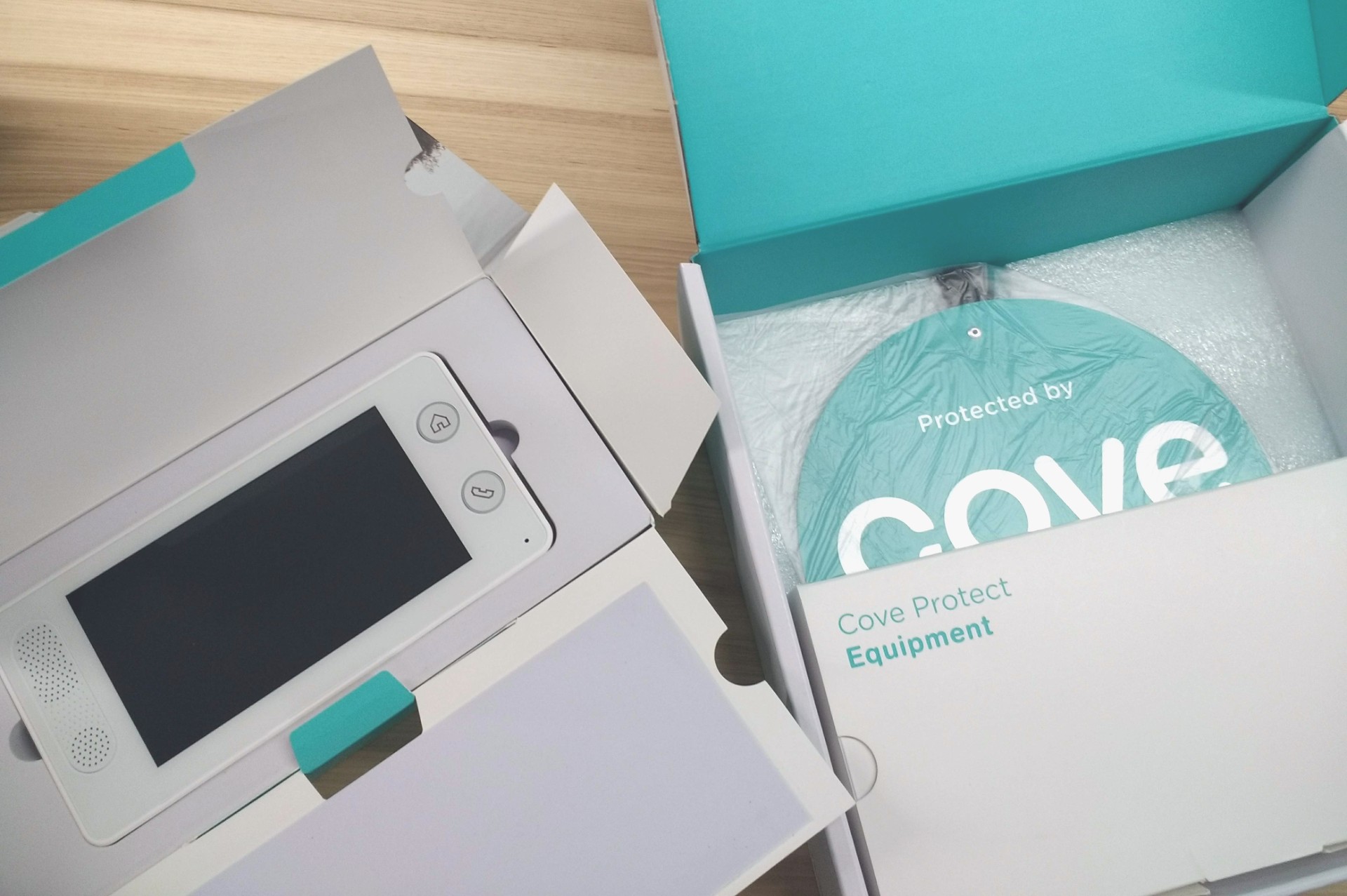
Cove Equipment in Box

Our Cove box was nicely packaged.

Cove Tech and Equipment

Cove isn’t the most technologically advanced home security system, but it provides reliable basics that get the job done. Because the company is so new, its equipment offerings are limited. But Cove has two innovative technical features: InstaText and LiveAssist.

Cove InstaText

This feature uses text messaging to send you immediate alerts if an alarm is triggered. You can respond instantly to false alarms and dispatch emergency services if you need help—all with a text. This feature is useful for people who may not always be able to answer the phone but rarely ignore a text. It’s adapting age-old security protocols to the way we live and communicate today. Pretty smart.

Cove LiveAssist

With Cove LiveAssist you have a dedicated line of communication with Cove right through your panel. You can use this two-way audio feature to communicate in real-time if you need help or need to address a false alarm. This feature provides an extra layer of security and gives you more control over your home’s security. And you can count on it even if your panel gets unplugged or if your power goes out—its backup battery lasts for 24 hours.

Cove Home Security Equipment

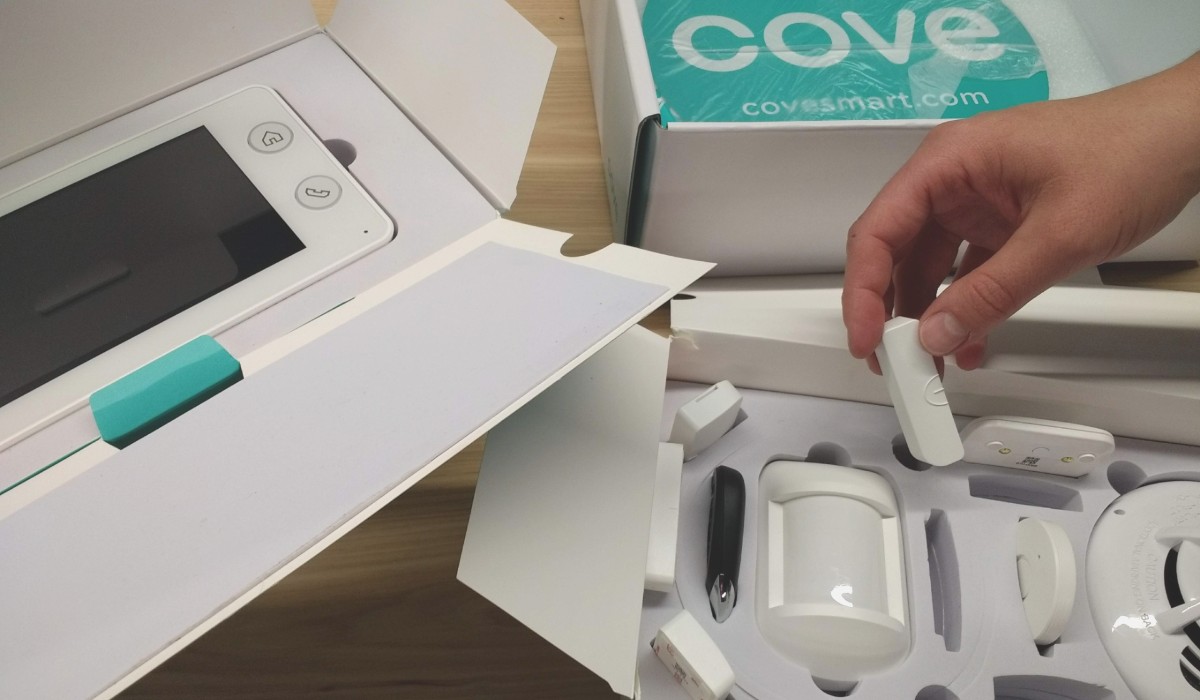
hand unboxing Cove security system

We got a chance to play with Cove’s equipment.

Equipment and Price

  • Cove Touch Panel, $184 ea.
  • YI Indoor Camera, $59 ea.
  • Door Sensor/Window Sensor, $15 ea.
  • Motion Detector, $30 ea.
  • Security Key Fob, $25 ea.
  • Glass Break Detector, $35 ea.
  • Smoke Heat Freeze Detector, $30 ea.
  • Carbon Monoxide Detector, $50 ea.
  • Flood/Freeze Sensor, $20 ea.
  • Panic/Medical Button, $20 ea.

Cove Tech and Equipment Standouts

Standout Feature: Preconfigured Equipment

Many home security systems tout preprogrammed security equipment that’s easy to install, but Cove’s is the easiest one I’ve seen. And it talks to you—when you name a sensor (e.g., back door), you’ll hear “back door” every time it’s activated. I like that the only option isn’t a deafening and difficult-to-stop siren. I’ve tangled with those in the past (Ring), and it can be stressful.

Biggest Drawback: Limited Security Cameras

Currently, the Cove system is limited to three indoor security cameras because of the burden that streaming video puts on the network and your home Wi-Fi bandwidth. Also, outdoor security cameras are available only upon request. I think having eyes on the outside of your home is vital to keeping your property, people, and pets safe. We hope to see outdoor cameras added as a regular part of the Cove home security system soon.

Cove Smart Home Features

Cove’s smart home offerings are fairly scant. The system is focused first on providing security, and home automation is a lower priority. The system currently works with Amazon Alexa and Google Home, but other smart home options, like smart locks and climate control, aren’t available. Cove told us that Zigbee compatibility should be coming out sometime in 2019, and we’re eager to see how that impacts the company’s home automation offerings.

Cove Smart Home Compatibility

Smart Home Feature
Voice Control
Climate Control
Lighting Control
Smart Home Hub
Third-Party Compatibility
Amazon Alexa, Google Home
None
None
Amazon Alexa, Google Home

Cove Customer Service

Although Cove is new to the scene, the company has already garnered a hefty collection of positive customer reviews. In my experience with the company, it’s been friendly, responsive, and eager to please. You can tell that the people who created Cove and work for the company enjoy what they do and believe in their product.

Here’s a look at current Cove ratings for customer service and satisfaction.*

  • Google reviews: 4.9 stars
  • Trustpilot rating: 5 stars out of 5, Excellent
  • Cove Security app on Google Play: 2.7 stars out of 5
  • Cove Security app on Apple App Store: 4.9 stars out of 5

*Ratings as of March 2019.

Cove’s 60-Day Money-Back Guarantee

You can try out the Cove security system risk-free for up to two months. If during that time you don’t think it’s a good fit for your home security needs, you can return your equipment and cancel your monitoring service without a penalty. Cove will give you a full refund, no questions asked.

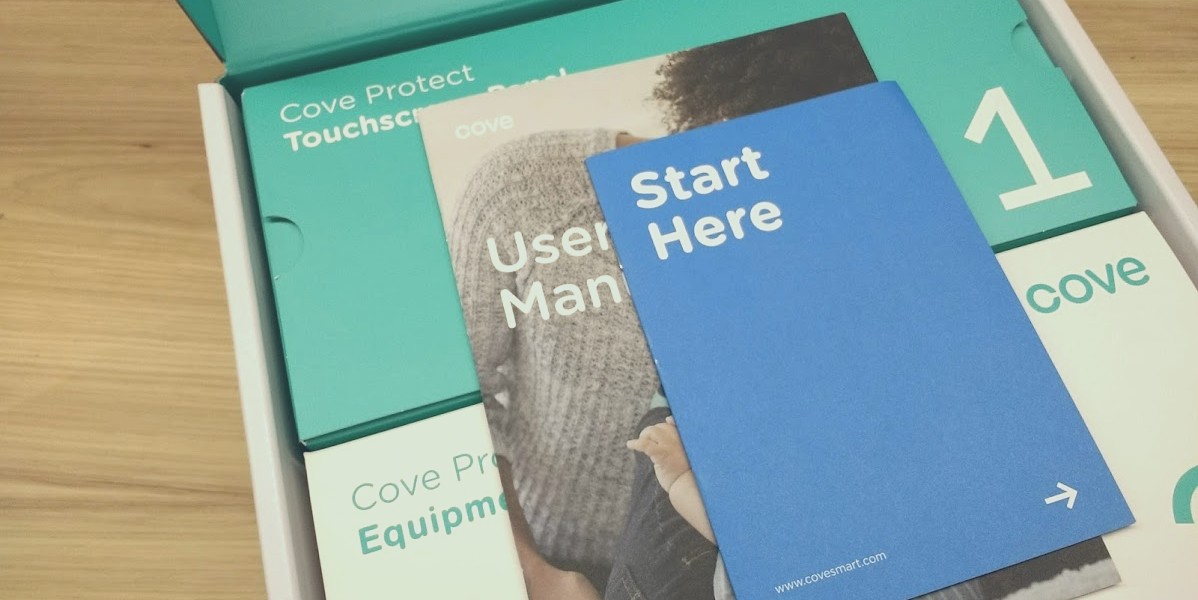
Cove security box with Start Here instructions

Cove Installation

We’re impressed with the simplicity of Cove’s installation and setup process. All the components of your security system come preconfigured. You can even name them when you order, so your son’s bedroom window sensor will come ready to be installed in his room. And if you make a naming mistake or decide to move a sensor to a different place, it’s easy to give it a new name using the control panel.

The control panel is the heart of the Cove home security system—it walks you through setup and tests each sensor to make sure they’re working correctly. Sometimes it’s hard to tell if you set up a window or door sensor the right way, so we like that Cove’s audio confirmation leaves no doubt.

Other Home Security Options

If you’re not ready to take Cove up on its 60-day trial, we’ve got your back. To help you make the best decision for your household, here are the details on other top DIY home security companies.

Best DIY Home Security Systems

SimpliSafe Home Security Review

Ring Security System Review

Nest Secure Alarm System Review

Cove FAQs

What can I do on Cove’s mobile app?

Right now, you can use the Cove mobile app to remotely arm and disarm your system using a smartphone, tablet, or computer. You can also check your system’s status, bypass sensors, and add or delete user accounts. To save you from constantly checking your alarm system’s status, the app sends text and email alerts when the system is either triggered or disarmed. Cove is currently in the process of further development on the app and we’re excited to see more smart home control and options.

Does Cove home security help me save on homeowners insurance?

Yes. Like many other home security companies, Cove provides you with a certificate that you can present to your insurance company for a discount on your premium. To get your certificate, your system has to be installed and activated. Details on discounts vary by insurance company, so be sure to talk to your agent for specifics.

How fast will I get my Cove security system after I order?

Because Cove puts together each security system to your specifications, it may take four to six days for your system to be delivered. The company strives to get all orders out within one day of ordering, but sometimes it may take a day or two to assemble your security system and get it in the mail.

Does Cove home security work for renters?

Yes. Cove is a good match for both homeowners and renters. And if you move, all you need to do is pack up your Cove security equipment (along with everything else) and let them know your new address. Changing your address with Cove is essential to make sure the monitoring center knows where to send help if you need it.

Conclusion

We’re pretty excited to see Cove entering the DIY home security arena. It’s a young company, but they’re doing a lot of things right.

If you want a customizable home security system that’s easy for you to install on your own and doesn’t lock you into a contract, we think Cove is a solid choice.

How We Evaluated Cove Security

When we learned about Cove home security, we got in touch with them to find out more. Cove came out and met with us to explain who they are, why they do what they do, and what makes their DIY security system stand out from the rest. We got to meet the founder of the company, and we got to play with Cove’s equipment. We ran a system through the setup process and then tested all of the sensors to see how they worked. We also pored over online customer reviews, read other expert reviews, and compared Cove to other DIY security systems.

The post Cove Home Security Review: No Contracts, Easy Setup, and Affordable appeared first on SafeWise.


from Blog – SafeWise https://ift.tt/2DPkFRy
via IFTTT

Wednesday, November 27, 2019

SimpliSafe vs. Ring Alarm Home Security

Best for No-Contract Pick
image of Simplisafe's logoSimpliSafe
  • À la carte systems
  • Video monitoring
  • Limited home automation
  • À la carte systems
  • Video monitoring
  • Limited home automation
Best Budget Pick
Ring's logoRing Alarm
  • Low monthly fees
  • 24/7 customer service
  • New company
  • Low monthly fees
  • 24/7 customer service
  • New company

Bottom Line: SimpliSafe Takes the Lead

SimpliSafe regularly makes the top of our “best of” lists for security systems, and it takes the lead here as well. With wireless, battery-powered devices, it’s simple to install, easy to use, affordable, and convenient. SimpliSafe offers all the basics à la carte, so there’s no need to pay for devices you don’t need. The SimpliSafe app lets you self-monitor your cameras for free, and it’s one of the few security companies that offers video alarm confirmation through its professional monitoring services.

Ring also has a lot going for it—like competitive pricing and a variety of devices that integrate smart home compatibility—but it’s still too fresh on the security system scene for us to evaluate how well it’s working for users. For that reason, SimpliSafe continues to be our trusty top pick.

Compare SimpliSafe and Ring

SimpliSafe Ring
logo of simplisafe home security Ring's logo
Starting Monthly Monitoring Cost $14.99 $10.00
Basic Equipment Package Cost $229.00 $199.00
Outdoor Cameras No Yes
Build-Your-Own System Option Yes No
Learn More Visit SimpliSafe Visit Ring

Data as of 10/10/2019. Offers and availability subject to change.

What SimpliSafe and Ring Have in Common

As big players in the DIY home security space, SimpliSafe and Ring have lots in common:

  • DIY installation
  • No contracts
  • Mobile app access
  • Affordable equipment
  • Low monitoring fees

Both DIY wireless systems are easy to install and uninstall, and neither require a monitoring contract. Both companies have self-monitoring options as well, so you can access your system, get motion detection notifications, and watch your cameras through a mobile app.

Pricing for both SimpliSafe and Ring is comparatively lower than professionally installed brands like ADT, and both systems offer similar basic equipment and features, including indoor cameras, crash and smash protection, and cellular backup.

SimpliSafe and Ring both offer smart home integration. And even though Ring is well known for its Ring Video Doorbell, SimpliSafe also now offers video doorbells as part of its product lineup.

What Makes SimpliSafe and Ring Different 

A few distinct—and possibly dealbreaking—differences include the following:

  • Outdoor cameras
  • Monitoring costs
  • Video monitoring
  • Smart home integration
  • Equipment packages

Ring ends up being slightly cheaper than SimpliSafe, though not by much. But Ring doesn’t offer the à la carte options that SimpliSafe does, so you’ll have to choose from one of its standard packages.
SimpliSafe has been around longer, so it might be a better choice for those who want a company with a more established reputation. SimpliSafe also offers a three-year warranty on its equipment compared to Ring’s one-year. But Ring’s 24/7 customer service is a step up from SimpliSafe’s 9 a.m-to midnight (EST) hours.

When it comes to monitoring, SimpliSafe offers visual alarm confirmation so monitoring agents can access your security camera or doorbell camera footage when your alarm goes off, cutting down on false alarms.
Still, Ring might be a better choice if you want to add outdoor security or smart home devices to your alarm system, because it offers outdoor cameras and Z-Wave and Zigbee functionality. SimpliSafe is a better fit for smaller spaces that don’t need home automation.

SimpliSafe at a Glance

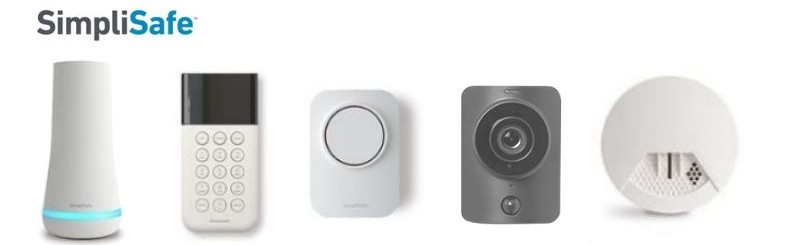
SimpliSafe hub, keypad, alarm, camera, and smoke detector

Pros

  • Easy installation
  • À la carte packages
  • 3-year warranty
  • Affordable pricing
  • Video monitoring

Cons

  • No outdoor cameras
  • Limited home automation

Pricing, Plans, and Contracts

SimpliSafe is contract-free, and you’ll pay around $230 for a basic system that includes the base station, keypad, one entry (or contact) sensor, and one motion sensor. You can add additional sensors and devices to any package to build your own system or ditch the packages all together and design your own system completely from scratch.

SimpliSafe doesn’t require you to sign up for a monthly monitoring service, but without it, your security system will operate only as a loud alarm to scare off intruders. For $14.99 a month, you’ll get standard professional monitoring so your security system can call out in the event of an alarm.

If you want remote app access to your system to secure entry sensors, your monthly fees go up to $24.99 a month for the Interactive plan. This plan also lets the monitoring center access any SimpliSafe cameras linked to your system for video confirmation of alarm events, and it gives you cloud storage for your cameras’ video footage.
Since there are no contracts, you can cancel monitoring at any time.

Contracts and Extended Warranties 

SimpliSafe offers a three-year limited warranty and a 60-day return policy. If you aren’t satisfied with your system for any reason, you can return it for a full refund (including return shipping costs) within 60 days of purchase.

Customer Service

If you need help with your system, SimpliSafe has email support, online help forums, and a customer service line available 7 days a week between 9 a.m. and midnight EST. SimpliSafe has an A+ rating from the Better Business Bureau1, with the main complaints we see about customer support concerning long wait times. But overall, customers have positive things to say about the company.

Home Automation 

SimpliSafe’s current smart home options are limited, but they’ve been steadily growing over the past two years. It recently added a proprietary door lock to complement its third-party compatibility.

The system is currently compatible with Nest thermostats, August Smart Locks, Google Home, and Amazon Alexa.

Alarms and Notifications 

When you subscribe to the Interactive plan, you get notifications when any of your security system sensors trip. If your system is armed when one of your sensors is triggered, SimpliSafe monitoring will contact you. If they can’t reach you, they’ll try one of your emergency contacts before dispatching first responders.

One unique feature of the SimpliSafe app is that you can get “secret alerts” to alert you through the app when specific sensors alarm without actually setting off an alarm at your home.

Equipment 

SimpliSafe offers a wide range of devices, including smoke detectors, carbon monoxide sensors, motion sensors, key fobs, a panic button, freeze sensors, window and door sensors, and a water sensor. Most devices run on battery power (with the exception of the cameras) and use your home’s Wi-Fi network to communicate. The control panel/keypad is smaller and sleeker than Ring’s.

Who SimpliSafe Is Best For

If you think you might have significant life changes in your future, SimpliSafe is a great choice for a security system. You can pack it up and take it with you, and its à la carte options provide for easy system expansion.
You can also increase your security by adding in professional monitoring, and increase control with remote access through the mobile app.

Learn more in our full SimpliSafe review.

Find answers to your questions in our SimpliSafe FAQs.

Ring Alarm at a Glance

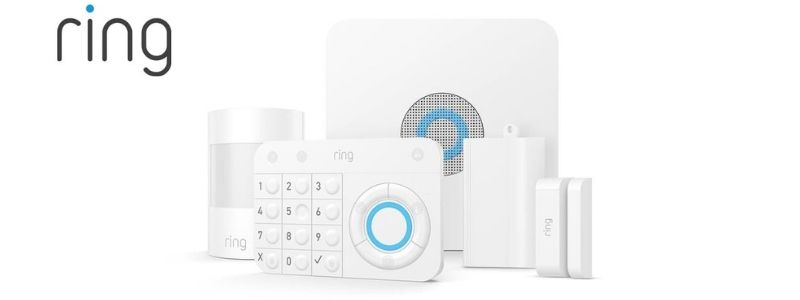
Ring Home Security Equipment

Pros

  • 24/7 customer service
  • Wide variety of devices
  • Affordable pricing
  • Home automation options

Cons

  • New on the market
  • No video monitoring
  • No à la carte option

Pricing, Plans, and Contracts 

Like SimpliSafe, Ring doesn’t require you to sign a contract. A basic Ring Alarm system starts at around $200 for a base station, keypad, one contact/entry sensor, one motion sensor, and one range extender. Ring doesn’t offer any fully à la carte systems, but you can purchase a package and add on more individual devices.

Unlike SimpliSafe, Ring’s mobile app is free, so you can self-monitor your system. You can access your cameras’ live feed, use the two-way talk feature on the cameras and doorbell, and receive motion alerts without paying subscription fees.

If you want to save camera footage, you can pay $3 a month for the Basic Ring Protect Plan for one camera. If you also want professional monitoring and unlimited video cloud storage, it’s just $10 a month for the Ring Protect Plus Plan. All Ring Protect Plus subscribers also get 10% off all future equipment purchases and an extended warranty. Plus, paying for a full year of the Protect packages gets you two months free.

Contracts and Extended Warranties

There are no contracts with Ring. If you decide the system isn’t for you within the first 30 days, you can return it for a complete refund, but you’ll be charged $5 for shipping.

Ring offers a one-year warranty against defects for all equipment. For a one-time fee of $39.95 you can get Ring Assist Plus, which gives you an extended two-year warranty, a special VIP customer service phone number, and a lifetime protection plan to replace any equipment that gets stolen or damaged.

Customer Service 

Ring’s customer service line is available 24/7, and so are its live online customer support agents.

The Better Business Bureau gives Ring a grade of A-,2 but while its doorbells are popular and get good reviews, Ring Alarm is new enough to the home security industry that there isn’t much customer feedback out there yet.

Home Automation 

Ring Alarm devices are equipped with Z-Wave and Zigbee, making them compatible with a variety of third-party devices:

  • Door locks by Schlage, Yale, and Kwikset
  • Lights, plugs, and switches by GE and Leviton
  • Smoke and carbon monoxide alarms by First Alert

Like SimpliSafe, Ring is also compatible with Google Home and Amazon Alexa.

Alarms and Notifications

The Ring app will send you notifications for motion events, doorbell rings, and opened contact sensors so you can self-monitor your system.

You can also sync your Ring with Alexa devices to control the system with your voice and get notifications.

With Ring, you can also access the Neighbors community in the same smartphone app as your security system. In the Neighbors community, you can see what your neighbors have noticed or caught on camera and hear from police about what’s going on. While anyone can use the Neighbors App (including SimpliSafe users), having it in the same spot as your security system cuts down the app clutter.

Equipment 

Ring’s devices are similar to SimpliSafe’s with the addition of outdoor HD cameras and smart lighting.

When we conducted our Ring Doorbell review, we found it to have slightly better night vision than SimpliSafe’s doorbell cam.

Learn more about our top picks for the best smart doorbells, including the Nest Hello doorbell and ADT doorbell.

The batteries on Ring devices—like its motion detector and door and window sensors—last longer than SimpliSafe’s because the devices use radio frequencies rather than your home’s Wi-Fi.

Who Ring Is Best For

If you’re willing to take a bit of a gamble on a newer security system, Ring might pay off. It’s a good setup if you’d rather self-monitor your home and avoid monitoring fees, and it’s also a nice option if you think you’d like to get smart security locks and lights working with your system’s sensors.

Read more in our Ring review.

Our Final Pick

When it comes to SimpliSafe vs. Ring, it’s a close call, but SimpliSafe comes out on top for its established reputation. It’s affordable and easy to install and use, it has customer-friendly policies, and it’s continuing to expand its home automation. We’ll be watching Ring to see if it holds its own.

View SimpliSafe Packages

How We Picked the Best Home Security System 

We’ve tested cameras and doorbells from both Ring and SimpliSafe, but in order to research each company’s security systems we had to dig deeper. We spent about five hours combing through each company’s website, we read close to a hundred customer reviews, and we watched about a dozen hands-on video reviews of each system to better understand their pros and cons. To find out more about how we rate and review security systems, check out our full methodology.

Sources

  1. Better Business Bureau, “SimpliSafe
  2. Better Business Bureau, “Ring

The post SimpliSafe vs. Ring Alarm Home Security appeared first on SafeWise.


from Blog – SafeWise https://ift.tt/2L1Ndvh
via IFTTT

ADT Disclaimer

ADT $27.99 Essential package: $99.00 Customer Installation Charge. 36-Month Monitoring Agreement required at $27.99 per month ($1,007.64...