Wednesday, December 11, 2019

How To Find Pet Care While You’re On Vacation

Just because you leave your furry friend when you go on a trip doesn’t mean they have to be home alone. The right pet care option while you’re on vacation gives you peace of mind and keeps your pets happy and healthy. 

When you go out of town, it’s best to leave your pet behind in a comfortable, familiar setting—their home. They already know where their food, water, toys, and sleeping spots are, so it’s better to have the pet caretaker come to them. 

Professional pet sitters offer in-home pet sitting at your house or their house. Local dog boarding, professional kennels, and cat boarding are good options too. All these pet care options cost a little more than asking friends or family to watch your pet, but caretakers with professional training and experience can be worth it. 

Professional Pet Sitters

Finding pet care while on vacation can be as easy as asking family or friends to leave food and water for your animals.

While this is generally a cheaper option, professional pet sitters can do more for your furry friend in an emergency. This kind of in-home pet sitting keeps your dog or cat in familiar surroundings, letting the care come to them.

If your pet is a senior or has special needs, this is an option worth considering. Professional dog sitters generally ask for higher rates than your loved ones will, but they’re qualified and more experienced with tasks like giving medication or leash training.

Pro Tip
Care.com and the Rover dog-sitting app can connect you to pet sitters in your area. These caretakers undergo careful screening to qualify, so you know your pet’s paws are in good hands.

Dog Boarding Services

If an in-home dog sitter isn’t the best option while you’re on vacation, you can board your pet at a kennel with other pups.

Research to find the most reliable pet boarding services in your area. The best dog-boarding services have puppy play areas for your best friend to meet other dogs and stay entertained while you’re away.

You can also board cats when you leave on vacation, but their enclosure is not as social as the dog areas.

Websites like Thumbtack can connect you with local kennels and boarders in your area.

In-Home Pet Sitting

Our Recommendation
Rover logo

Rover.com

  • Catalog of local sitters
  • In-home socialization with other dogs
  • Secure payment platform through the Rover app
  • Daily doggy updates
  • Care for cats too

In-home boarding combines the best perks of pet sitting and traditional boarding.

Instead of leaving your pets at home, an in-home boarding professional can watch your furry friend at their home. You’ll have to bring your pets to their location, but they get all the comforts of staying at a house while you’re away.

Like kennel owners, in-home boarders require a license and qualifications to charge for their services. So you can feel satisfied knowing your pets will get exercise, medications, food, and water during your trip.

In-home boarding for dogs is more common, but you can find these same services for cats, birds, fish, and other small pets.

Get a Pet Cam

Our Recommendation
Furbo pet camera

The Furbo Dog Camera

  • Barking alerts
  • Easy setup
  • Compatible with Alexa

Whether you’re in a different state or a different time zone, pet cameras let you see your furry friend whenever you miss them.

Pet cameras suffice on their own if you’re gone for short periods, but they pair well with pet sitting services. If you don’t know your drop-in pet sitter well, you can see your pet and their sitter through the camera.

The best pet cameras have treat dispensers, two-way talk, and other extras to keep your pets entertained.

Some pet cams can connect to your security system or act as a security camera while you’re away. Check our picks for the best security systems for pet owners.

FAQs 

What happens if there’s an emergency while I’m gone?
Be prepared before you leave for your vacation. Leave your vet’s contact information and pet’s medication schedule with your pet sitter.

If you have a pet with medical issues, we recommend asking someone to stay on your property or hiring a pet sitter to keep your pet in their home while you’re gone.

Can a pet sitter give my dog their medications?
Sure, but you’ll need to give them clear instructions depending on the difficulty level of administering the medication. That’s why we suggest a qualified, experienced pet sitter instead of a friend or family member.

Can I get a pet sitter or in-home boarding for my cat?
Paw-sitively. Most services that cater to dogs can also help cat owners. Rover, for example, can connect you with pet sitters, in-home boarding, and in-home care for cats.

How much do professional pet sitters cost?
On average, pet sitters can cost anywhere from $10 to $40 per day. That said, prices change depending on where you live, how long you’ll be gone, and how many animals you have.

How do you find pet-friendly hotels?
If you decide to take your pet on vacation with you, it’s smart to check out the pet policy at your hotel before leaving.

We like Bring Fido for finding pet-friendly hotels, restaurants, and even vacation activities your pup can enjoy too.

The post How To Find Pet Care While You’re On Vacation appeared first on SafeWise.


from Blog – SafeWise https://ift.tt/2PEnV87
via IFTTT

Tuesday, December 10, 2019

Nest Hello Doorbell Review

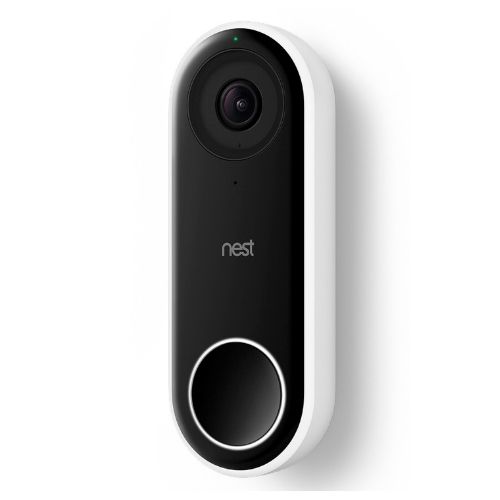
Nest Hello Video Doorbell

Nest Hello

4/5
  • Facial recognition
  • Clear picture night and day
  • Starting price at $229

Nest Hello: The Bottom Line

The Nest Hello video doorbell makes it easy to speak with visitors, neighbors, and delivery people. Its video and sound quality come in clearly through the Nest app, and installing the doorbell camera takes just a few minutes. 

But the features that make this smart doorbell special require a little extra cash for an already expensive device. The subscription allows you to save video footage, build a database of visitors, and watch your front door with time-lapses and close-ups.

Thankfully, the Nest Aware subscription starts at $5 per month, so it doesn’t take much to get these extra (door)bells and whistles. But you can get a doorbell with the same audio and video quality from more affordable competitors like Ring or Eufy. 

If you have money to spend, the Nest Hello is a smart option because it’s already an investment. But if you’re saving up for other things, you might want to go with a more budget-friendly option.

Pros

  • 24/7 streaming
  • Motion alerts
  • Two-way communication
  • HDR for backlit areas

Cons

  • Subscription required for the best features
  • Steep price tag

How Nest Hello Stacks Up

Price
Zoom
Video Recording
Pre-recorded Messages
Facial Recognition
Wired Installation
Nest Hello
Ring Pro
Eufy Video Doorbell
Nest Hello Video Doorbell Ring Doorbell Pro product image black eufy video doorbell and white chime
$229.99 $249.00 $159.99
Yes
Yes
No
X
With Nest Aware
With Ring Protect
No
X
Yes
No
X
Yes
With Nest Aware
No
X
Yes
Yes
Yes
Yes
View on Kohl's View on Ring View on Amazon

Data effective 12/09/2019. Offers and availability subject to change.

Without a Nest Aware subscription, the Hello doesn’t stand out from the crowd as much. The Hello, Ring Pro, and Eufy video doorbells all have a 160-degree field of view, HD live streaming, motion detection, and two-way communication.

And Nest Hello costs more than most doorbell cameras, even without the Nest Aware subscription. But if you believe that “you get what you pay for,” then the Nest Hello, its features, and Nest Aware are worth your consideration.

Nest Hello: Tech and Equipment

Despite Nest Hello’s futuristic design, it works the same as a traditional doorbell. When visitors approach your doorstep, they’ll press the Nest Hello’s button.

Here’s what differentiates Nest Hello—it sends live video of whoever’s at the door straight to your phone. So whether it’s the delivery driver with a package or Girl Scouts taking cookie orders, you’ll be able to see and talk to them.

What’s in the Box

  • Nest Hello video doorbell
  • Chime connector
  • 15-degree wedge
  • Release tool
  • Masonry drill bit
  • Window decal
  • Wall plate
  • Extension wires
  • Wall anchors
  • Screws
  • Quick start guide

Nest Hello’s Video

This Nest cam packs a lot of power in a small package. Its video quality stays consistent thanks to its 2K color sensor and HDR video. These features keep color and light stable, making it easier to see visitors in both low and bright lighting.

But while the Nest Hello works well in daylight, its night vision lacks power unless you keep the porch light on. If you live in a rural or dimly lit area without a front porch light, it will be hard to see visitors clearly at night. The Nest doorbell camera uses infrared lighting comparable to other cameras like Ring.

Nest Hello Audio

Two-way communication on the Nest Hello comes through clearly on both sides. The speakers and mic have noise and echo cancellation, a feature that makes conversations through the doorbell clearer .

And if you aren’t home or able to answer your phone’s notification when someone is at the door, you can leave prerecorded messages to greet visitors.

Nest Hello Extra Features 

The app is where most of the action happens for Nest Hello owners. When a visitor arrives, you’ll quickly get a notification on your phone telling you someone’s there. From the mobile app, you can stream the encrypted live video to see who it is.

The Nest cam’s motion detection feature comes standard to let you know when someone’s on your porch or nearby. Just beware, it can be sensitive enough to trigger false alarms like passing cars and neighbors walking by.

Nest Hello Smart Home Compatibility

The Nest Hello is packed with the same smart home abilities as the Nest Secure system and the rest of the Nest family. Through the app, you can pair the doorbell to your Google Home, so your Google Home announces that someone’s at the door.

If you subscribe to Nest Aware, you can name frequent visitors through the facial recognition feature. When you label familiar faces, your Google Home will learn to announce their name when they arrive on your doorstep. The Nest can also talk to your Google Chromecast and send the live stream to your TV.

If you prefer Amazon products, don’t fret. The Hello works with Amazon Echo Show or Echo Spot. Nest needs a hub with a screen like these to show live video feed from your front door. It can also stream through later generations of Amazon Fire Sticks.

Nest Hello Installation

Before getting a Nest Hello, make sure your home’s wiring is compatible. The Hello video doorbell needs to be hardwired, so it also helps if you have an existing doorbell. We watched the Nest’s instructional video and talked to Nest users to learn more about the installation process.

Installing the mobile app is the first (and maybe most important) step. Once you’ve signed in to your Nest account, add your new device. Then, the app will walk you through the process.

One Nest user we spoke to said the process took her about 10 minutes and noted that you might need some help holding your phone while wiring the doorbell. She also mentioned that she had a hard time taking it with her to a new home, so she bought a second doorbell.

Another Nest user we talked to had a different experience. He said installation took a couple hours, due to wiring issues in his home. He recommends opting for professional installation because the wiring in his home required some rerouting.

Overall, the Nest’s installation is straightforward. And you can find tons of helpful resources to get you through the process. If all else fails, Nest can connect you with local installers to do the job for you.

Nest Aware

It’s hard to talk about any Nest product without mentioning the Aware subscription service. While the Nest Hello doorbell works without the subscription, Nest Aware makes the investment worthwhile.
The biggest draw to subscribing is all the extra features, including video backlogging. If someone vandalizes your home, steals your packages, or acts suspicious, you have records of what happened at your front door.

Nest Aware adds:

  • Facial recognition
  • Activity zones
  • 24/7 recording
  • Close-ups
  • Time-lapses
  • Uploadable clips

Nest Aware Subscription Pricing

Monthly Cost
HD Video
Two-Way Audio
Recorded Video History
Facial Recognition
Time Lapse
Set Activity Zones
Without Nest Aware
5-Day Video Backlog
10-Day Video Backlog
30-Day Video Backlog
$0/mo. $5/mo. $10/mo. $30/mo.
Yes
Yes
Yes
Yes
Yes
Yes
Yes
Yes
No
X
5 days 10 days 30 days
No
X
Yes
Yes
Yes
No
X
Yes
Yes
Yes
No
X
Yes
Yes
Yes
View on Kohl's Learn More Learn More Learn More

Data effective 12/09/19. Offers and availability subject to change.

Heads Up:
Changes are coming in early 2020 to Google’s Nest Aware. We’ll keep this review updated as we learn more.

Nest Hello FAQs 

Does Nest Hello work with older houses?
Sure! As long as your doorbell wiring is compatible with Nest and you have a secure Wi-Fi connection, you should be able to install the Nest Hello.
But if you’re unsure, you can opt for professional installation. One of the users we spoke with needed some extra help because of the wiring in his home.

Can the Nest Hello be stolen?
Unfortunately, yes. Google has a few tips, but your best bet for catching thieves is a recording of the incident.

Is there a monthly fee for Nest Hello?
The Nest Hello video doorbell is a one-time purchase unless you want extra features like recorded video, facial recognition, and activity zones. Those require a monthly subscription to Nest Aware.

Does Nest Hello need a Nest Aware subscription?
No, but Nest Aware adds a lot of value to the Nest Hello doorbell. If you want a Nest Hello, we recommend coupling it with the subscription to enjoy the full range of what the Nest Hello can do.

Does Nest Hello work with Alexa?
Yes, but only if your Alexa device has a screen. The Echo Show and Echo Spot can support video footage from your Nest Hello so you can see who’s at the door without pulling out your phone.

Is my home compatible with Nest?
Use Nest’s compatibility checker to see if your doorbell’s make and model is compatible.

Nest Is Best (with a Subscription)

The Nest Hello is a quality doorbell camera, but it’s better when paired with Nest Aware’s extra features. The subscription allows you to save video footage, build a database of visitors, and watch your front door with time-lapses and close-ups.

The Nest Hello is an excellent choice if you’re looking to upgrade your current doorbell camera. But if you’re new to smart tech or want to save money, we recommend starting with a doorbell like Ring or one of our other favorite video doorbells.

How We Reviewed the Nest Hello 

To get a better picture of the Nest Hello, we interviewed Nest Hello users about their first-hand experiences. One user uses the Nest Hello for her home-run small business while another user told us about his experience (and difficulty) with the installation process.

In addition to these sources, we scoured the internet for other customer reviews, tech reviews, and videos to put all the device’s specs into context. To learn more about how we get our information, including the Nest Hello doorbell review, read our full methodology.

The post Nest Hello Doorbell Review appeared first on SafeWise.


from Blog – SafeWise https://ift.tt/2YBIFkV
via IFTTT

ADT Cameras Guide: ADT Pulse and More

What You Didn’t Know About ADT Home Security Cameras

ADT is one of the nation’s leading home security companies, but with such a wide array of equipment available to its customers, it can be tricky to know which of its devices does what. 

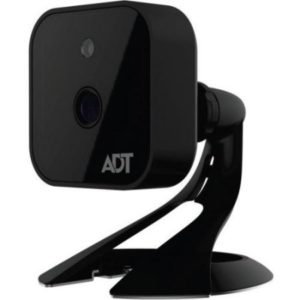
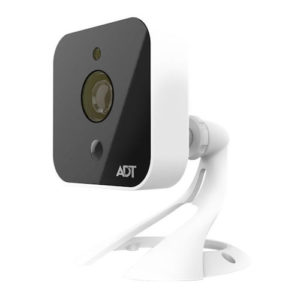
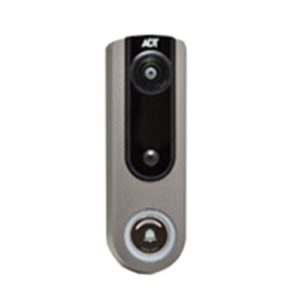
We’ve decided to put ADT’s indoor camera, outdoor camera, and doorbell camera side by side so you can see how each one works, what makes them alike, and what makes them different. We’ll also compare them to similar products on the market, like the Nest Cam and Ring Video Doorbell, so you can see how they stack up.

ADT Cameras at a Glance

Resolution
Pulse Connection
Power Source
Field of View
Price
Indoor Security Camera Outdoor Security Camera Video Doorbell Camera
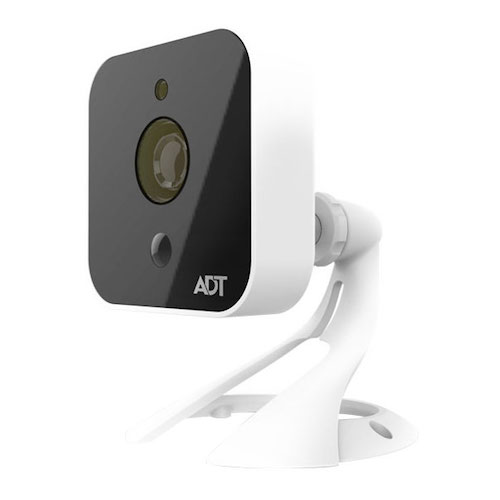
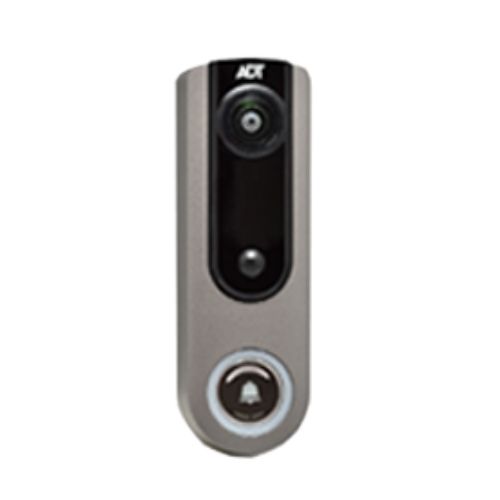
ADT Outdoor Security Camera ADT Video Doorbell
720p 720p 720p
Wireless Wireless Wireless
AC plug AC plug Hardwire (8–24 VAC)
128.6° 95° 180°
View Packages View Packages View Packages

Data effective 12/09/2019. Offers and availability subject to change.

ADT Cameras Breakdown

Indoor Security Camera

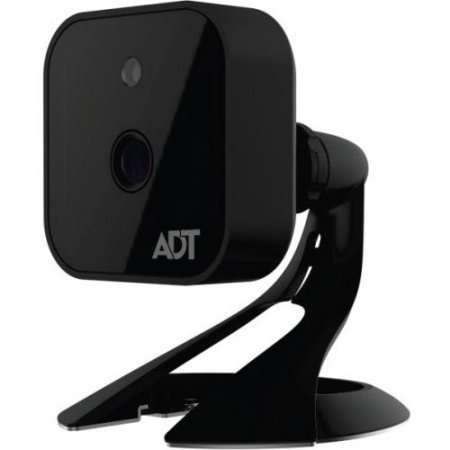
The ADT Indoor Camera can be mounted on your wall using the mounting plate or placed on a tabletop with the included stand. It must be plugged into a wall outlet for power, but it connects wirelessly to your ADT Pulse system through your Wi-Fi network. With a resolution of 720p, it’s not quite as sharp as the 1080p industry standard, but the difference in picture quality isn’t all that noticeable. The camera also has infrared night vision and motion detection, but the lens isn’t adjustable. 

The ADT Indoor Camera will start recording video when the motion sensor detects movement or when your alarm is triggered, but it will only record for thirty seconds before turning off for five minutes. 

This is a feature that frustrates many ADT Pulse customers, but keep in mind that you can also watch live video at any time using the Pulse app, so you can tune in to your feed as soon as you receive a notification on your phone. You also have the option of starting a recording manually while watching the live feed. 

The indoor camera is useful if you’re an ADT Pulse customer and you have to be away from home while your loved ones (including those with four legs and fur) are at home without you. You can drop in anytime using the Pulse app’s live feed, and you’ll get movement notifications accompanied by 30-second video clips so you can keep tabs on what the kids and the pets are up to throughout the day. 

If you’re not an ADT Pulse customer and you’re trying to decide on the best indoor video camera for you, our list of the Best Home Security Cameras for 2019 can help you make an informed decision. The Nest Cam IQ Indoor was one of our top ten picks because of its two-way talk, motion and sound alerts, integrated Google Assistant, and 24/7 recording options.

Pros

  • Wall mount or tabletop
  • Infrared night vision
  • Motion-triggered recording
  • Live video feed

Cons

  • 720p resolution
  • 30-second recordings

Outdoor Security Camera

The ADT Outdoor Camera works much like the indoor camera with 720p resolution, infrared night vision, and thirty-second clips with a five-minute cool-off period. What makes the outdoor camera different is its weatherproof design that can withstand temperatures between -40°F and -158F°, with a built-in heater that will kick in if the temperature drops below 42°F.

The outdoor camera also uses passive infrared (PIR) sensors that detect motion slightly differently than the indoor camera’s motion sensors by detecting body heat rather than light. These motion sensors can detect movement up to 15 feet away, but the outdoor camera has the narrowest field of vision of ADT’s camera lineup, with only a 95-degree viewing angle. 

Once again, this outdoor camera is a good choice if you’re an existing ADT Pulse customer and you want to be able to keep an eye on things outside. It works flawlessly with the ADT Pulse app and your ADT security system, giving you added security on the parts of your property that your ADT security system can’t reach.

If you haven’t yet settled on ADT and you want to keep shopping around for outdoor security cameras, we really like the Ring Spotlight Cam. It earned our pick for Best Outdoor Camera on our list of Best Home Security Cameras for 2019. It can run on batteries or solar power, and it has a built-in spotlight and alarm. 

Pros

  • Weatherproof design
  • Internal heater
  • PIR sensors

Cons

  • Narrow field of view
  • 720p resolution
  • 30-second recordings

Video Doorbell Camera

ADT recently decided to get in on the video doorbell action by offering its own Doorbell Camera with two-way audio. Like the outdoor camera, the doorbell camera is built to withstand extreme temperatures and adverse weather conditions, but the rechargeable battery won’t charge if it’s any colder than 32°F or any hotter than 138°F. 

The camera’s 180-degree field of vision is the widest angle of all the ADT cameras, and it has PIR motion-sensing technology and night vision. When it detects motion, or when the doorbell button is pressed, you’ll get a notification from the ADT Pulse app. The doorbell’s microphone and speaker allow you to use the Pulse app to answer your door from anywhere and chat with the person on your doorstep. 

The nice thing about the ADT doorbell is that it works so seamlessly with the ADT Pulse app, so you can access all of your cameras, arm and disarm your security system, and answer your door all in one app. 

It’s handy if you have people who need to access your home when you’re not there, like dog walkers or house cleaners, because you can answer the door and turn off the alarm system so they can come in. Then, if you want to, you can use the ADT Pulse app and your indoor ADT cameras to keep an eye on them as they move through your home. 

ADT’s video doorbell camera made our list for the Best Video Doorbells of 2019, but other favorites like the Ring Video Doorbell and the Vivint Doorbell Camera are also worth a look. If you’re up for a DIY doorbell, Ring is a great choice for its easy installation. We also like that you can customize its settings, like motion zones and motion detector sensitivity. 

Pros

  • Two-way talk
  • Rechargeable battery
  • PIR sensors
  • Wide viewing angle

Cons

  • 720p resolution

How ADT Cameras Work with a Security System

When you add ADT security cameras to your alarm system, you’re getting a family of smart home devices that work together as a team. After installation, your installer can help you set up your equipment with preferences that work as “if, then” statements to give you the maximum benefit from your cameras and system. 

For example, you can set it so if the kitchen door opens when the system is armed, the kitchen camera starts recording. Or, say, if motion is detected at the front door doorbell camera, the camera over the garage door starts recording as well. Basically, your cameras become your eyes to start watching your home in case something unusual happens there.

Because ADT equipment is “smart,” you can also add in devices with Z-Wave technology like smart door locks, lights, and plugs to work with your alarm system for even more protection. For example, if an outdoor camera detects motion outside the laundry room, you can have lights inside the laundry room turn on. It’s a great way to scare off potential intruders. 

All ADT cameras are IP cameras, which means they store all of their footage in the cloud, rather than on a local DVR. And good news, your ADT Pulse subscription comes with 30 days of unlimited cloud storage. 

When one of your ADT cameras detects motion, it will record a 30-second clip and upload it to the cloud for you to review later through the mobile app or web portal. You can use the web portal to download your ADT video clips to your computer for long-term storage if needed. Best of all, unlike other camera storage, there’s no limit on the number of clips you can keep in the cloud each month.

Keep in mind that ADT isn’t the only security company with integrated camera systems. If you’re looking for systems with DIY installation, Frontpoint made the top of our Best Security Systems of 2019 list, and it has recently announced contract-free options. This puts it in line with two more of our top picks, Vivint and SimpliSafe. All three companies have solid surveillance cameras. 

Pros

  • Ethernet connection
  • Flush mount design
  • Motion alerts
  • Two-way audio

Cons

  • Professional installation
  • High price tag

FAQs

Does ADT offer video monitoring?

No. While you can get professional monitoring for your security system, the monitoring service does not include monitoring for your video cameras. Due to privacy concerns, few monitored security services offer video monitoring.  

What does “ADT Authorized Dealer” mean?

When a dealer is ADT authorized, it means they’re authorized to sell and install ADT equipment and use the ADT logo, but they can set their own prices and have certain policies that may be different from ADT corporate. 

Does ADT have dome cameras?

Yes, ADT offers dome cameras designed for outdoor use, but they work best when hung directly upside down. Otherwise they have a tendency to leak and cause water damage to the camera. Dome cameras offer the benefit of being more tamper-proof than the standard outdoor camera. 

What is a key fob?

A key fob is a keychain remote for your security system, similar to the remote you use to unlock your car. Pushing different buttons on the remote lets you arm and disarm your system. Like car key fobs, many security system remotes also have panic buttons. If your system is tied into a mobile app, you can use your smartphone for remote access to your system, even when you’re not home.

The Bottom Line on ADT Cameras

ADT cameras may not be classified as cutting-edge technology, but if you have an ADT alarm system, they tie in nicely with your existing devices and give you an added layer of security. The indoor camera, outdoor camera, and video doorbell are each designed to do a specific job, and for the most part, they do their jobs well. They’re a great choice if you’re one of the many people out there who feel more comfortable letting a pro handle your security camera installation.

The post ADT Cameras Guide: ADT Pulse and More appeared first on SafeWise.


from Blog – SafeWise https://ift.tt/2RFTPU9
via IFTTT

A Guide to Porch Light Safety: Leave It On or Turn It off?

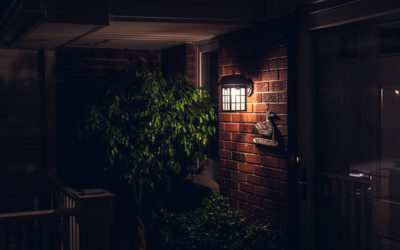
Porch lights help keep you and your loved ones safe. You don’t fumble for your keys when the light is on—instead, you’re inside the door within moments.

The light also deters burglars who tend to avoid a home that looks occupied. But leaving the light on isn’t an automatic guarantee of safety. Burglars pay attention to how and when you turn on porch and deck lighting.

To prevent your house from being robbed, think about when it’s best to keep the porch light on or off.

Here’s When to Turn the Porch Light On

When You’re Home at Night

This is a good time to leave the porch light on. It alerts burglars to your presence, particularly if indoor lights are on too. The porch light also acts as a spotlight on the front door. You can easily see who’s approaching through either a window or peephole.

When You, a Roommate, or a Family Member Plans to Return Late at Night

It helps to leave a light on for people who won’t get home until long after dark. Keeping the porch light burning helps people get to the door and unlock it safely.

Pro Tip

Use a smart lightbulb in your porch light so you can turn on the light fixture from anywhere. This means you’ll have a lighted walkway even on nights when you stayed out later than expected—or if you simply forgot to leave the porch light on.

When You Leave the Kids at Home

When you step out for the evening, leave a porch light on. You won’t worry about the kids, and they won’t jump at strange shadows. Supplement the outdoor light with indoor ones so it looks like several people are home.

When You’re Expecting a Home Delivery

It’s wise to turn on the porch light if you have a package coming. The extra light helps the delivery person find your home, and it reminds you to grab the package before settling in for the evening.

Generally, a porch light works best when it’s coordinated with deck, garage, and indoor lights. The pairing creates the appearance that people are home and moving about.

Here’s When to Turn the Porch Light Off

When You Go on Vacation 

If you’re out of town, you should turn the porch light off during the day. A constantly-lit porch paints a target on your home. You should either have a neighbor turn the light on and off or invest in a light timer. The preprogrammed settings maintain the illusion that you’re home.

When You Go to Bed

When it’s lights-out, your porch should be no exception. Turn off the porch light, the same as you would in any room in the house. Turning off a light regularly suggests that the home is in use. Plus, many porch lights available today use infrared sensors to turn on automatically if they sense motion.

When You Feel Anxious about Being Home Alone

It might seem like the safest move, but if you’re on your own and feeling anxious, you may not want to turn on the porch light. Burglars often stake out a property for weeks before striking. If they notice you turn on the lights more often when your partner, spouse, or roommate is away, they could decide to intrude during one of those times.

If You Live in a Rural Area

This is an instance where you may be more secure if you leave the porch light off. Intruders won’t be able to see where they’re going and their late night stumbling may give you warning that they’re coming.

If you’ve invested in motion sensor lights, potential burglars will experience night vision loss, again granting you more time to call the police and turn on every light in the house.

How to Use Porch Lights for Home Security

A porch light is just one piece of your home security solution. You should incorporate it into a smart home automation security system for enhanced safety and control.

With a complete system, you can use an app to monitor and control both indoor and outdoor lights, plus security cameras and locks.

You can purchase home automation systems from security providers like ADT, Frontpoint, and Vivint. But you can also build your own system by integrating smart home products with a home automation hub.

Add a Home Automation Hub

Smart Home Hub
Smart Things hub

Samsung SmartThings Hub

When it comes to home automation hubs, Samsung SmartThings leads the way. It works with the largest number of wireless technologies and devices.

You can also use an Amazon Echo or Google Home device as a smart home hub. That means you’ll be able to turn the porch lights on or off with the sound of your voice.

Smart home hubs simplify the day-to-day management of all connected devices. Instead of using multiple apps to control connected products, you use the hub’s mobile app to manage everything.

Read our full Samsung SmartThings Hub review.

Combine Porch Lights with Other Smart Security Devices

Once your hub is set up, you can connect compatible smart security products. Make sure they work with your hub before committing to a purchase.

Price*
Best For
Top Features
Learn More
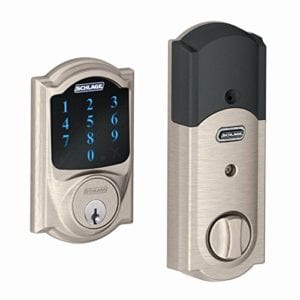
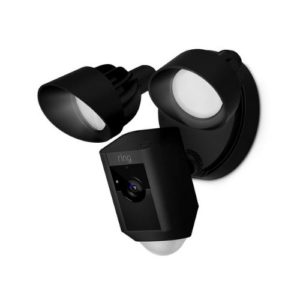
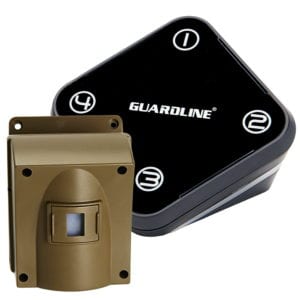
Philips Hue Smartbulb Schlage Z-Wave Deadbolt Google Nest Hello Smart Doorbell Ring Floodlight Cam Guardline Driveway Alarm
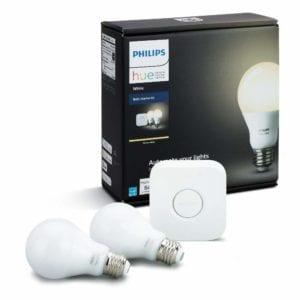
Philips Hue White LED Smart Bulb Starter Kit Schlage Touchscreen Deadbolt Nest Hello Video Doorbell Ring floodlight product image of guardline driveway sensor
$69.94 $199.99 $229.99 $249.00 $99.99
Automating porch lights Keyless entry to your home Answering the door from anywhere Motion-activated porch lights with video surviellance Knowing when someone's on your property
Great light quality
Voice control
Free mobile app
Built-in alarm
Security system compatibility
Easy installation
Facial recognition
2-way talk
True HD video
Motion detection
Security camera
2-way audio
Lifetime warranty
Customizable alerts
Affordable price
View on Amazon View on Amazon View on Kohl's Visit Ring View on Amazon

*Amazon.com and other List Prices as of 11/05/19 2:22 p.m. MST. (Full disclaimer)

Smart Lightbulbs

Philips Hue is the leader when it comes to automated lighting. Give the brand a look if you’re aiming for a lighting system that’s easy to update, integrate, and synchronize.

Smart Locks, Video Doorbells, and More to Keep Your Porch (and Home) Safe

If you want to add more outdoor security than a porch light, these home automation devices are a good place to start.

Smart locks let you lock and unlock the front door remotely. With a video doorbell, you can see who’s at the front door (and talk to them) whether you’re in bed or at the office.

And a motion-activated driveway alarm alerts you when someone enters your property. Plus, if you use a smart home hub, you can create routines to make all of these security products work together—including your smart porch light.

The Bottom Line on Porch Light Security

When it comes to your home’s security, porch lights are critical. They guide you into your house at night and keep burglars away.

But they’re most effective when you use them at the right times and combine them with other security products. If you do, you’ll feel safer and more secure—whether at home, work, or on vacation.

Disclaimer

Amazon.com list price as of 12/05/19 2:22 p.m. MST. Product prices and availability are accurate as of the date/time indicated and are subject to change. Any price and availability information displayed on Amazon at the time of purchase will apply to the purchase of this product. Safewise.com utilizes paid Amazon links.

Certain content that appears on this site comes from Amazon. This content is provided “as is” and is subject to change or removal at any time.

The post A Guide to Porch Light Safety: Leave It On or Turn It off? appeared first on SafeWise.


from Blog – SafeWise https://ift.tt/2t7q6JJ
via IFTTT

ADT Disclaimer

ADT $27.99 Essential package: $99.00 Customer Installation Charge. 36-Month Monitoring Agreement required at $27.99 per month ($1,007.64...