Thursday, December 12, 2019

Best Antivirus for Android

Calendar Icon
Last Updated: A day ago
In December 2019, two browsers (Mozilla and Opera) removed Avast extensions from their stores due to data privacy concerns. We no longer stand by Avast’s services and have updated our recommendations to reflect this. Note that this also implicates Avast subsidiaries AVG Online Security and AVG SafePrice.

If you’re like most people, your phone is like an extension of your brain, and getting an invasive virus on your Android device can feel almost as scary as getting one in your head. Antivirus software is kind of like a hazmat suit for your phone: it protects against malware and allows you to download new apps with confidence. Many antivirus apps can also help protect your privacy, find your phone if it gets lost, and keep your device safe from theft.

Compare Antivirus for Android

Anti-Theft Features
Wi-Fi Security Scan
Call Blocking
App Locking
Device Optimization
Link
Best for Basics
Best for Multiple Devices
Bitdefender antivirus logo Norton logo ESET Antivirus logo Kaspersky antivirus logo McAfee antivirus logo
Paid version only Yes Yes Yes Yes
Paid version only Paid version only No No Yes
No Yes Paid version only Paid version only Yes
Paid version only Paid version only Paid version only Yes Yes
Paid version only No No No Yes
View on Amazon Download at Norton Download at Eset Download at Kaspersky Download at McAfee

Top Picks for the Best Antivirus for Android

Bitdefender Antivirus Free: Best for Basics
If you’re looking for a strong antivirus program but you don’t need extra features like anti-theft and call blocking, Bitdefender is a great choice. Bitdefender Free only scans for malware, but it uses the same tech as Bitdefender’s paid version, Mobile Security. Its reliance on cloud-based services means there’s little to no impact on your device during scans, but keep in mind that you’ll have to have a reliable, ongoing Wi-Fi connection for the antivirus to keep working in the background.

Because Bitdefender is so simple, there’s nothing to configure, so setup is a breeze. If you decide later on that you do want additional features, like anti-theft and real-time scanning as you browse, you can upgrade to Mobile Security. It runs about $15 a year, and Bitdefender offers a two-week free trial so you can try before you buy.

Pros

  • Easy installation
  • Top independent testing scores for protection and usability
  • Automatic virus scans on new apps
  • Minimal system impact
  • Same antivirus tech as paid version
  • Two-week free trial of paid version

Cons

  • Requires internet connection
  • Lacks anti-theft features
  • Email-only support

Norton Security & Antivirus Free: Best for Multiple Devices

Norton Security and Antivirus doesn’t have all the bells and whistles of other antivirus apps, but it may feel familiar—Norton Antivirus is a solid choice for PCs as well. (Read our Best Anti-Malware and Antivirus Software Guide to find out more about Norton Antivirus Basic and other top software to protect your PC.) But if you think Norton just reconfigured a PC antivirus program to work as an Android app, think again—Norton Security and Antivirus is designed to spot Android-specific threats and stop them in their tracks.

The app is easy to use and has clear menu selections and commands. Its malware detection is top-notch when it comes to anticipating threats. And unlike some antivirus programs that run silently in the background, if Norton detects an issue, it will alert you and let you decide how to proceed. The Premium version is only about $15 a year and will give you some additional features, like app locking and Wi-Fi scanning.

Pros

  • 30-day free Premium trial
  • Android-specific malware protection
  • Ongoing security notifications
  • Antivirus protection across devices
  • User-friendly interface

Cons

  • No automatic scans in free version
  • Poor customer support

More Android Antivirus Options

ESET Mobile Security & Antivirus

ESET offers fast virus scanning and a user-friendly interface. We like the color-coded push notifications that show priority at a glance: red for threat detection, yellow for a task to be completed, and green for all clear. While the free version doesn’t have as many security features as the paid version, it does give you access to an online web portal that shows the GPS coordinates of your device if it gets lost—even if it isn’t connected to the internet. We also like the ability to schedule scans for times when the device is connected to a charger. We weren’t able to find data on how ESET performed in real-world tests, but the app has a user rating of 4.7 out of 5 on Google Play, and ESET’s other products get high marks, so we think it’s a safe bet.

ESET logo

Kaspersky Mobile Antivirus

Kaspersky is another antivirus service with a solid reputation for malware protection—it received perfect scores from AV-TEST for protection and usability and has great user reviews. It has all the standard features of a good antivirus program, including anti-theft features, call blocking, and anti-phishing protection. Its main standout feature is its support for your Wear OS smartwatch. You can use your smartwatch to find your lost phone simply by saying “Find my phone.” You can also check the protection status of your device and run virus scans using your watch.

Kaspersky Antivirus

McAfee Mobile Security

Like Norton, McAfee is a veteran of antivirus software, and its Android app is another feather in its cap. Mobile Security has all the features of other top antivirus apps, along with a few unique features of its own, like Kids Mode and anti-theft uninstall protection. Kids Mode takes app locking a step further: it lets you set specific apps as safe for your kids to access and make others off-limits. It’s a great feature for anyone who wants to let their kids play on their phone without risking an unsupervised Amazon shopping spree or awkward Facebook posts. The anti-theft uninstall protection keeps a thief from being able to uninstall your phone’s antivirus and antitheft apps. It may also prevent your child from accidentally uninstalling the app. The only thing we don’t like is that the free app is ad-supported, and if you want to ditch the ads you’ll have to pay about $25 a year for the Premium version.

McAfee antivirus logo

FAQs

In the Google Play store, why does it look like all the antivirus apps for Android are free?

Most antivirus apps are free to download, but the version you download won’t be the one you keep unless you want to pay for it after the free trial is up. Free trials last between 14 and 30 days. Once the trial period ends, use in-app purchases to continue with the full-featured app. Otherwise, you’ll automatically revert to the stripped-down free version.

Do antivirus apps for Android phones also work on Android tablets?

Yes. Android antivirus apps are designed to provide antivirus protection for any Android device, but keep in mind that some security features may not work on tablets that don’t have SMS text messaging capabilities.

What is the difference between real-time protection and virus scanning?

If a virus is like a messy toddler, real-time protection is like following along behind the toddler, picking up and putting things away as they scatter, and stopping them before they make too big of a mess. Virus scanning, on the other hand, is like leaving the toddler alone in a room for a few minutes and then returning to clean up the aftermath. Real-time protection keeps you from downloading malicious apps and stumbling upon unsafe websites, but it can take more effort from your device and may interfere with your phone’s normal functions. If you don’t want that side effect, you can opt for scheduled scans, but these won’t give you the same level of continuous antivirus security.

What should I do if I lose my phone?

Once you’ve exhausted all normal methods of searching—calling your phone, searching where you last used it, etc.—it’s time to employ your anti-theft features. Log in to your mobile security web portal and use your phone’s GPS to locate the device. If you believe your phone has been stolen, you should immediately activate the app’s remote wiping and snapshot features to protect your data and get a photo of the thief. Then use the web portal to send a text message with instructions for returning the phone.

Besides installing antivirus apps for Android, what else can I do to secure my devices?

Use caution when installing apps on your phone. Not every app in the app store is trustworthy. Also, be sure to check an app’s permissions before installing it, and regularly audit your apps’ permissions to ensure your privacy. Many apps will ask for permissions they don’t need, and there’s no reason to make your phone unnecessarily vulnerable. As a bonus, eliminating some permissions may cause apps to use less battery life so your phone will stay charged longer. Check out our Best Identity Theft Protection Services Buyers Guide and The Best Password Manager for All Your Devices to learn more about products that can help protect your sensitive data.

How We Chose the Best Antivirus for Android 

To determine the best antivirus service for Android devices, we studied the features of each antivirus app and read user reviews to learn more about how well each performs in real-world situations. We also checked test results from independent testing lab AV-TEST. Check out our methodology to learn more about how we evaluate and review products.

The post Best Antivirus for Android appeared first on SafeWise.


from Blog – SafeWise https://ift.tt/36yso38
via IFTTT

Avast Internet Security Software Review

Best for firewall security

4/5
  • Protection from online threats
  • Sandbox for testing suspicious files
  • Password manager
  • Light impact on your computer

Error: Please add at least one "Anchor" component

Best Security Cameras of 2018
image of Frontpoint camera
  • Best Monitored Cameras
  • Best Indoor Cameras
  • Best Outdoor Cameras
Calendar Icon
Last Updated: A day ago
In December 2019, two browsers (Mozilla and Opera) removed Avast extensions from their stores due to data privacy concerns. Avast collected user data such as browsing history and activity, reaching far beyond the tool’s performance needs. Its privacy policy defends storing user data since it’s anonymized, but the company offers no clear policy on length of data retention. We no longer stand by Avast’s services. Note that this also implicates Avast subsidiaries AVG Online Security and AVG SafePrice.

Avast Internet Security at a Glance

Avast Internet Security is an antivirus suite designed to protect your PC from malware, ransomware, adware, and other threats to your hard drive. The program works using artificial intelligence (AI) technology to recognize specific software signatures and behavior patterns of dangerous programs and files. When an unsafe item is detected, it is placed in the “Virus Chest,” a quarantine area safe from the rest of your computer. From the Virus Chest, you can choose to either mark a program or file as safe or have Avast remove it from your computer.

Avast Internet Security

Avast Internet Security’s additional features go beyond basic protection from viruses to extend your security to your online experience. Its email shield works with your email program to keep you from accidentally sending or downloading malware. The browser extension makes sure you’re not landing on any potentially dangerous websites. You can even create your own secure browser to keep you safe during internet banking and shopping.

Pricing and Features

Price Check Price
Malware Protection Yes
Protection against Unsafe Links and Downloads Yes
Performance Issue Scan Yes
Real-Time Security Updates Yes
Extra Ransomware Protection Yes
Enhanced Firewall Yes
Fake Website Protection Yes
Browser Cleanup Yes
Sandbox Yes
Game Mode Yes
Wi-Fi Protection Yes
Password Protection Yes
Webcam Hacking Protection No
Mobile Device Protection No
Parental Controls No

Pros

  • Free Trial
    Avast offers a free thirty-day trial of the Internet Security software so you can try before you buy.
  • Money-Back Guarantee
    If you do purchase the software and you’re not happy with it, Avast offers a thirty-day money-back guarantee.
  • Automatic Renewal
    Automatic renewal isn’t always a good thing, but antivirus software is like health insurance: you don’t want to be caught without it. Avast’s yearly auto-renewal ensures there’s no lapse in protection for your PC, but you can also opt out at any time.
  • Coverage for Additional Devices
    Avast will let you increase your Internet Security subscription to include additional devices as needed, but there is an additional charge.

Cons

  • No Phone Protection
    Avast doesn’t offer mobile device protection with the Internet Security suite, but you can go online and download a version of Avast Free Antivirus to protect your Android device.
  • No Parental Controls
    Most antivirus software suites include settings to prevent kids from accessing inappropriate content online, but you’ll have to purchase a pricier package if you want this service from Avast.
  • No Data Shredder
    At this price point, we’d hope to see a data shredder included with the package, but like the parental controls, you’ll have to pay for an upgrade to get this feature.

Features and Usability

Avast has several additional features that go above and beyond a standard antivirus program. While some are useful—like the Sandbox and Browser Cleanup—others, like SafePrice, have little to do with security and can be annoying.

Pros

  • Firewall
    While many other antivirus software firewalls work by either allowing nothing in or nothing out, the Avast firewall uses a more sophisticated system of rules that allow it to decide what passes through. This is a smarter approach that still provides top-notch protection.
  • Sandbox
    Avast’s Sandbox feature allows you to test out new software in a separate, protected space on your computer before it interacts with the rest of your hard drive, so you can make sure it’s safe.
  • Wi-Fi Protection
    If you’ve ever worried about strangers using your wireless network, Avast’s Wi-Fi protection will stop them in their tracks, and it monitors for hackers on hardwire networks as well.
  • Anti-Spam Filter
    Most email providers offer spam filters as part of their services, but few offer customization options like the ones available through Avast. With Avast, you can adjust the strength of the filter and automatically whitelist email addresses you send mail to.

Cons

  • Pop-Ups
    If you’re not careful during installation, you might end up with a lot of Avast pop-ups for additional features like Software Updater and SafePrice. Fortunately, you can disable most of these by either clicking “customize” before installation begins or by going to the Preferences tab in the program. Putting Avast in Game Mode can also solve the problem.

Download and Installation

Downloading Avast is pretty straightforward. We did find a few glitches with installation, but they’re easily fixed.

Pros

  • Fast Download and Installation
    Avast is quick to download, and most users find it easy to install.

Cons

  • Confusing Setup
    Several customers complain that even though they bought a one- or two-year license for the program, their installation screen shows that they only have a thirty-day license. We looked into this issue and learned that you need to enter your product code into the program in order for it to update the license.

Protection and Performance

Avast has one of the lightest touches on the market when it comes to quietly doing its job without interfering with your computer experience, but its scans may run longer than expected.

Pros

  • Cyber Capture
    If Avast catches any suspicious threats that it doesn’t recognize, it sends them to its virus lab in the cloud for analysis. If the lab identifies one of these threats as malware, it notifies all Avast users. Not only does this keep your antivirus software current, it also adds more layers of protection.
  • Light Impact
    Your computer will still run at normal speeds, even while running the Avast antivirus software.
  • High Test Scores
    Avast blocked 99.6% of malware with only one false positive, and it blocked 100% of malware encountered online—this is according to tests from April 2018, run by the independent testing organization AV Comparatives. It received three out of three stars and an Advanced+ rating for both protection and performance.

Cons

  • Longer Scans
    The only downside to Avast’s light touch on PCs is its longer scan times. Expect the scans to run longer than some competitors.

FAQs

What is a VPN?

A VPN (virtual private network) encrypts your connection, allowing you to be completely anonymous whenever you connect to any device. This keeps you safe from advertisers and others who try to track your online activities, and it also gives you added protection when using public Wi-Fi.

Does the Avast Internet Security suite include VPN protection?

No, but you can purchase it as an add-on to the Internet Security package by buying Avast SecureLine VPN.

What is SafePrice?

SafePrice is a deal alert feature that automatically installs on your browser when you set up Avast Internet Security. When Avast notices you shopping online, it will automatically start to search for a better deal for you. If you want to remove this feature, you can disable it under Preferences without affecting Avast’s protective features.

Does Avast Internet Security include password protection?

Yes, Avast includes a password manager that allows you to create a single secure password for all of your accounts, but its features are limited. For additional features like one-touch login and Password Guardian, you can upgrade to a more robust Avast Passwords Premium for an additional fee.

The Bottom Line

Avast Internet Security is a proven choice for those who want to go beyond free antivirus programs and add the protection of a robust firewall and online security features. Its simple download, user-friendly interface, and light impact make it low-key enough for anyone to use, but its SafeZone browser and Sandbox features open up additional possibilities for the more adventurous.

Pros

  • Excellent malware protection
  • Minimal impact
  • Thirty-day guarantee
  • Tough firewall
  • Secure browser

Cons

  • No parental controls
  • Pop-ups
  • Lengthy scans

How We Evaluated Avast Internet Security

To write our Avast software review, we studied Avast’s independent test scores, read numerous online reviews from a variety of sources, and tried Avast’s software for ourselves. To learn more about how we review products, check out our methodology.

The post Avast Internet Security Software Review appeared first on SafeWise.


from Blog – SafeWise https://ift.tt/2LOCmFy
via IFTTT

AVG Antivirus Free Review

AVG logo

AVG AntiVirus Free

4/5
  • Daily updates
  • Minimal impact
  • Passive mode
  • File shredder

AVG AntiVirus FREE Quick Overview

AVG AntiVirus software uses artificial intelligence (AI) technology to recognize the operating patterns and warning signs of malware on your computer and online. It detects and blocks viruses, spyware, ransomware, adware, and other damaging programs that can infect your hard drive and leave you open to identity theft. Online, it can warn you of potentially harmful links and scan websites for malware.

AVG AntiVirus FREE
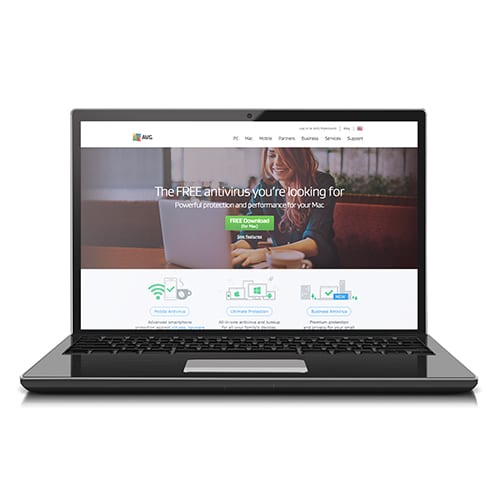
computer screenshot of AVG AntiVirus on laptop

Best for Complete Protection

  • Daily updates
  • Minimal impact
  • Passive mode
  • File shredder

AVG works in the background anytime your computer is turned on, and when the program discovers a threat, it alerts you and places the infected files into quarantine so you can’t accidentally access them. You can then remove the files with just a few clicks. AVG works with Mac, PC, and Android devices.

Pricing and Plans

AVG AntiVirus FREE is the company’s basic plan. AVG Internet Security is the next step up, with additional features and an annual cost.

What We Like

  • Free Internet Security Trial
    AVG offers a free one-month trial of AVG Internet Security with no credit card required. After the month is up, if you choose not to continue with the upgraded package, you’ll automatically revert back to the free version.

What We Don’t Like

  • No Parental Controls
    Unlike other antivirus software offerings, AVG’s program does not include options for parents to block certain websites or content on kids’ devices.
AVG AntiVirus Free AVG Internet Security
Stops Malware Yes
Yes
Block Unsafe Links and Downloads Yes
Yes
Scans for Performance Issues Yes
Yes
Real-Time Security Updates Yes
Yes
Extra Ransomware Protection No
X
Yes
Webcam Hacking Protection No
X
Yes
Enhanced Firewall No
X
Yes
Fake Website Protection No
X
Yes
Learn More Visit AVG Visit AVG

Features and Usability

AVG’s AntiVirus FREE has many useful features that are usually reserved for paid subscriptions, and its customization options allow you to choose how and when your virus scans happen.

What We Like

  • Passive Mode
    If you already have a built-in antivirus program on your computer, you can still download AVG as a backup. Its passive mode allows it to run as backup protection while not interfering with your primary antivirus program. If AVG catches something the primary program misses, it will alert you.
  • File Shredder
    AVG AntiVirus FREE comes with a file shredder that lets you permanently wipe files using the same technology as the US Department of Defense.
  • Scan Controls
    AVG has a variety of options to customize how it conducts scans. You can schedule scans for specific times, adjust the intensity of the scans to minimize impact on your computer speeds, and even exclude specific files from being scanned.

What We Don’t Like

  • Dark User Interface
    When you run AVG, you’ll see a black background with green text. Not everyone likes the dark color scheme.
  • No Quick Scan Option
    Unlike other free antivirus software, AVG AntiVirus does not have a quick scan option, but it does take less time to scan your drive each time you use it.
  • No Automatic USB Scan
    You can run scans on USB drives when you plug them in, but you’ll have to do it manually, as there’s no auto-scan option.

Download and Installation

AVG’s AntiVirus FREE has many useful features that are usually reserved for paid subscriptions, and its customization options allow you to choose how and when your virus scans happen.

What We Like

  • Fast Download
    Our download of the free AVG program took just three minutes from start to finish.
  • Simple Installation
    AVG provides easy instructions for downloading and installing the system, making it simple enough for anyone to do it.

What We Don’t Like

  • Confusing Website
    When we had some issues with the program on our Mac, we went to the website first to find solutions on the message boards. We found the site counterintuitive and difficult to navigate. We recommend registering on the website so you can contact the help desk directly with any questions you may have.

Protection and Performance

AVG AntiVirus FREE holds its own against pricier antivirus software in independent testing, but Mac users beware—AVG AntiVirus is clearly designed for the PC crowd.

What We Like

  • Daily Updates
    AVG recognizes that new malware pops up on the internet daily, so it not only blocks new threats when they attack, it also sends them to the AVG online lab for analysis. AVG then updates all its users with the new info.
  • Minimal Impact
    PC users report minimal impact to computer speeds when running the antivirus scans, so your computer’s regular operations still run smoothly while you’re scanning it for viruses.
  • Excellent Scores
    Independent testing group AV Comparatives awarded AVG three out of three stars in April 2018 tests, giving AVG top marks in both performance and protection, citing its ability to block 99.6% of malware and its low rate of false alarms.
  • Now Mac Compatible
    AVG hasn’t always played well with Apple products, but now it’s compatible with computers running iOS.

What We Don’t Like

  • Not Available for Mobile iOS
    AVG has software for your iPhone or iPad, but it isn’t antivirus software. Instead, you can get a VPN program for a small monthly fee on your iPhone or iPad. VPNs make it harder for threats to find you, so you can safely browse the web in public. Check out our Best VPN Services to learn more.

FAQs

Should I upgrade from AVG AntiVirus FREE to AVG Internet Security?
It depends—AVG Internet Security is better for those who spend a lot of time online, with enhanced firewall protection and protection against fake websites. The upgraded program also covers all devices used by you or your family, and it includes the AVG AntiVirus Professional for your Android device.

What is AVG PC TuneUp?
When you complete a full computer scan using AVG AntiVirus FREE, you might get alerts about junk files, cookies, etc., but you can only fix these problems using a different AVG program called AVG PC TuneUp. AVG PC Tuneup identifies unnecessary files that are using up memory and outdated programs that are causing your PC to run slowly. It automatically updates your software, clears up memory space, and plugs holes in your security. It costs $49.99 per year.

Are AVG AntiVirus FREE and Avast Free Antivirus the same thing?
Even though the two companies merged in 2016, the antivirus software is still marketed as two separate products. Software experts say that the merging of the two companies created two stronger products with very similar technology, as each product benefited from the strengths of the other. The main differences between the two are mostly cosmetic.

If AVG is tracking everything I do, does it collect data on me?
Yes, it does gather data from your usage history, but after installing the program, you can opt out of data collection under the privacy settings.

How can I get the most out of my antivirus software?
Software security experts recommend cleaning up and defragmenting your hard disk and uninstalling any unnecessary software before installing an antivirus program. Leaving at least 20% of your disk free allows your antivirus program to run without slowing down your computer. Be patient and allow the antivirus software to do its job, even if it does create lag in normal computer operations.

Can I get AVG for my iPhone or iPad?
Yes, but unfortunately, it’s not free. AVG has a VPN service available for iPhones and iPads for $6.66 per month or $79.99 per year.

The Bottom Line

AVG AntiVirus FREE performs well in independent testing, and PC users are very happy with it. If you’re looking for a simple way to beef up the security on your PC, the AVG AntiVirus Free is a great choice. If you want to protect all of your devices from malicious software, no matter who is using them, then AVG Internet Security can give you added peace of mind. If you’re a Mac user, you should probably look elsewhere for antivirus protection.

Pros

  • Easy download and installation
  • User-friendly interface
  • Minimal impact to computer speeds
  • Excellent malware protection
  • Useful extra features

Cons

  • Not compatible with iPhone
  • No parental controls
  • Not Mac-friendly

Learn More about Staying Safe Online

How We Evaluated AVG AntiVirus FREE

We created our AVG AntiVirus review by studying its software, reading others’ reviews of the program, and downloading and trying out the program for ourselves. Please read our Methodology to learn more about how we review products.

2019 Best Home Security Systems

Vivint

Best Home Automation

ADT

Best Monitoring

Frontpoint

Best Customer Service

Protect America

Budget Pick

Link Interactive

Best Basic Plans

The post AVG Antivirus Free Review appeared first on SafeWise.


from Blog – SafeWise https://ift.tt/2M4Dib0
via IFTTT

Norton Antivirus Review

Norton logo

Best for Comprehensive Protection

3.5/5
  • Protects against viruses
  • Thwarts malware
  • Scans for ransomware
  • Watches out for spyware
  • Blocks phishing scams

Norton Antivirus at a Glance

Norton Antivirus has an extensive collection of antivirus and internet security programs. From its antivirus programs to secure VPN services, if you’ve bought a computer in the last decade, you’ve probably seen Norton in action. 

Like all the best digital defenders, Norton scans your device regularly and compares code in your device to its database of malware and viruses. We focused on the Norton with LifeLock suite of programs for this review, but dive into the website and you’ll find a whole zoo of programs to protect your devices.

Norton Pricing and Plans

Norton 360 with LifeLock has three pricing options. Each program requires a low monthly fee and works with Mac, iOS, PC, and Android devices.

They all protect against basic online threats like spyware, viruses, malware, and ransomware. All three of the Norton 360 programs include features you’d normally have to pay extra for, too.

Even with the Select plan, you get online threat protection, a smart firewall, a password manager, and a secure VPN.

Monthly Fee
Devices Protected
Backup Storage
Virus, Malware, Ransomware, Spyware Protection
Transaction Monitoring
Retirement and Investment Monitoring
Learn More
Norton 360 Select
Norton 360 Advantage
Norton 360 Ultimate Plus
Norton logo Norton logo Norton logo
$9.99/mo. $19.99/mo. $29.99/mo.
Up to 5 Up to 10 Unlimited
100GB 250GB 500GB
Yes
Yes
Yes
No
X
Yes
Yes
No
X
No
X
Yes
Visit Norton Visit Norton Visit Norton

Pros

Works for PC, Mac, iOS, and Android

Aside from the automatic file backup and extra storage included with the Premium Plan, all of the suite’s features are available for PC, Mac, iOS, and Android. Competing products often won’t work across multiple operating systems.

Unique protection

It’s not every antivirus software that provides identity theft protection if when your information gets swiped, but Norton does. Granted, you have to pay more for this service, but the Advantage and Ultimate Plus plans both offer services other antivirus programs can’t touch. 

  • Transaction monitoring watches your online transactions for any shady activity
  • Retirement and investment monitoring  protects your assets like your 401k from online invasion
  • Identity restoration connects you with an Identity Restoration Specialist who can help you get your information back

Cons

Limited features for all devices

While the cheapest plan has some powerful features, not all of them work for every device. Before you sign up for a plan, be sure to read the fine print to see if your device can support the features you want. 

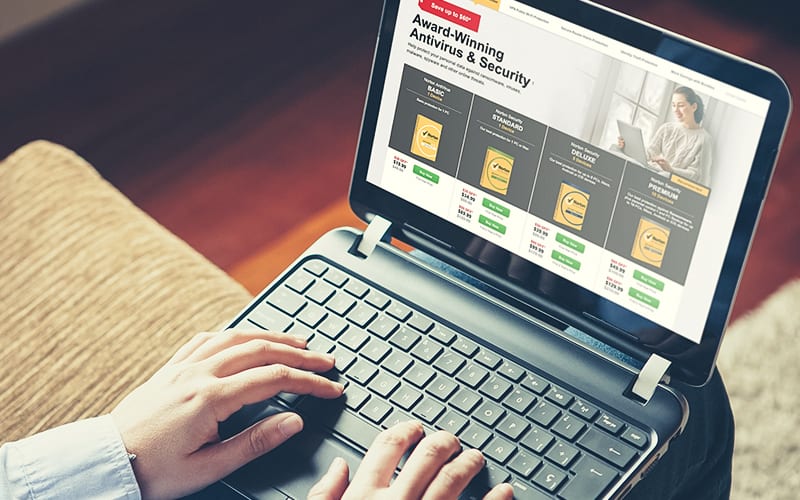
laptop with norton on screen

Norton Antivirus Features and Usability

Pros

Consistent, Comprehensive Protection

There’s a reason Norton is one of the most well-known and trusted names in the antivirus business. Even the most critical reviewers have to acknowledge that Norton does a good job of preventing active malware intrusion and has a very high overall detection rate.

Clean User Interface

In recent years Norton has streamlined its UI to be simpler and more customer-friendly, dividing its services into four easy-to-access tabs.

Silent Mode

Norton offers the option to silence notifications, a mode particularly appreciated by gamers.

Cons

False Positives

Compared to other antivirus programs, Norton has a relatively high percentage of false positives (safe programs flagged as dangerous or potentially unwanted programs). Flagging safe programs is better than missing dangerous ones, but it can hinder usability—particularly without a clear user-override option. Norton has improved in this area in recent years, but users and reviewers still report problems.

High RAM Use

While it has slimmed down in recent years, Norton Security Suite is still not a light program. It uses a significant amount of memory, especially during live updates and scans.

Less Effective for Adware

While almost completely effective for viruses and malware, Norton has shown less diehard security measures when it comes to adware.

Notification Delays

Users and reviewers have noted delays between the scanning of a file and the notification of any problems or resolution. This is a minor concern but is a pet peeve for some tech aficionados.

Norton Antivirus FAQs

Is there a free trial of the Norton Security Suite?

Symantec offers 30-day free trials of its top two plans, Norton Security Deluxe and Norton Security Premium.

Do any of the plans include VPN service?

No. For that level of protection, you have to add Wi-Fi Privacy for an additional cost.

Is it true that Norton customer support experts have scammed clients?

No. In recent years, many customers have claimed that Norton customer support has either tricked them into “fixing” a nonexistent virus or actually implanted a virus (via customer-granted remote access for assistance) in order to remove it. In both of these situations, customers have been charged upwards of $100 for virus removal.

These are the result of customer service scams, often in the form of infection warning pop-ups listing a false phone number for Norton customer support. Official Norton customer support is free to subscribers and will not contact you unsolicited. Visit Norton’s technical support page for more information on how to avoid these kinds of scams and what to do if you fall into one.

The Bottom Line

Norton Security Suite continues to be a solid choice for antivirus and internet security protection. It has a great track record for virus and malware detection and is competitively priced. But it is a bit clunky in its usability and includes fewer extra features than some competitors.

Pros

  • Provides consistent protection from viruses, malware, and internet threats
  • Works for PC, Mac, Android, and iOS

Cons

  • Lacks specialty features
  • Reports false positives

Check Price

How We Evaluated Norton Antivirus

We’ve put Norton to the test, carefully researching the company, studying expert reviews, and comparing customer ratings to evaluate the features, usability, and cost of their antivirus software. For more information on how we evaluated Norton Antivirus, take a look at our methodology.

The post Norton Antivirus Review appeared first on SafeWise.


from Blog – SafeWise https://ift.tt/2tdfnuk
via IFTTT

ADT Disclaimer

ADT $27.99 Essential package: $99.00 Customer Installation Charge. 36-Month Monitoring Agreement required at $27.99 per month ($1,007.64...